Regular readers will have noticed that since Christmas that I have been putting up video and stills that had been taken with a fish eye lens. For a while I was considering purchasing a suitable lens for either my Canon or Olympus systems as I had been intrigued by the effect. I was also very mindful that having bought such an item I would quickly tire of it and see it as a gimmick and so feel I had wasted my money. So when Dick Smiths (a popular chain of electronic stores here in Australia) offered the Sony HDR-AS20 ActionCam for $120 AUD just before Christmas I bought one seeing it as an affordable way of trying out extreme wide-angle photography and videography.
So what are my feelings about the camera. Well I do believe every photographer should have one of these cameras. They open up a world of creative photography. The lens is outside of the protective case pretty decent. It has a 170º field of view which is roughly equivalent to a 17mm on a full frame 35mm camera, a minimum focusing distance of 30cm (12 inches), a fixed aperture of f2.8 and is pan focus. There is obvious barrel distortion and some chromatic aberration. The distortion is all part of the look of fish eye lenses and the CA can be easily fixed in still images in apps such as Lightroom with a single click. The camera only produces jpegs, which bright and contrasty without too many artefacts. There is no control over sharpening and there are only two pictures styles, normal and underwater. You can’t control the ISO, the shutter speed nor the white balance. All being said it produces nice files and the exposures and white balance were largely spot on requiring minimal adjustments in post. For video the Steadyshot image stabilisation while being software based produces impressive results and was one of the major selection criteria for me when purchasing the camera. It’s not got the best video codec in the world nor the best bit rate and compression but it edits reasonably well as long as you don’t push it too far. A very nice feature is that the supplied software for the camera is embedded as firmware so that you don’t have to mess around with downloads or install discs. So what’s not to like – well the optical quality of the lens port on the protective case is pretty appalling, the supplied software is pretty flakey and crashes a lot on my relatively new iMac. No matter what I tried I couldn’t get the WiFi function to work using either my Sony Android phone or iPad. The Sony mount system isn’t as comprehensive nor widely as available as that of the GoPro alternatives. No problem just get an inexpensive adapter and then you can use anything made for GoPro. A real annoyance is that Sony have made it very difficult to plug in an exterior microphone. You can’t use one with the LCD case nor the standard protective housing. The one you can use it with means you loose the LCD and the protection.
The Australian National Maritime Museum’s magnificent replica of Captain Cook’s HMB Endeavour docked at Hobart in Tasmania.
Overall I’m very happy with the camera and have had a load of fun using it. The only thing is that it is totally addictive and I keep coming up with ideas for shots which inevitably means I have to buy another mount for it. Luckily they are cheap, but I have quickly acquired a bag full of them.
The beach at Verona Sands. The minimum focusing distance is 30cm which allows you to get very close up to subjects.
Sunrise at the The Lady Franklin Museum in Ancanthe Park, Lenah Valley. The auto white balance and exposure handled this scene very nicely.
Quite a few scenes in this video were shot with the Sony HDR-AS20. I was surprised that the camera proved parrot proof!
Over the last few months I have been sharing about some of the features that I have found interesting with the Olympus m4/3s system. To me personally the remote control of flash and the wireless control of the camera are exciting, not necessarily in the form that they’re in now but in what they herald for the future. I know I talk a lot about the old days but I think its important to know where we have come from in order to understand the potential of modern equipment. I am as I keep saying a very promiscuous photographer – I rarely stick to any genre for long and photograph what gives me pleasure and interest. At the moment I’m taking photos of the wildlife we find in our garden to document it because my wife has joined gardens for wildlife and because I’m lazy and like taking photos close to home, The following are just some photos of birds that can be found in the garden.
Pink and Grey Galah or Eolophus roseicapilla, the most common Australian cockatoo.
The appropriately named the noisy miner bird, Manorina melanocephala leachi, is a vocal species with a large range of songs, calls, scoldings and alarms, and almost constant vocalizations particularly from young birds.
With the modern technology we have at our disposal taking these pics was straight forward. When we look at the work of pioneer ornithological photographer Eric Hosking and see the amount of kit he had to set up to take similar types of photos it is quite staggering. Examples of Hosking’s work can be seen here.
Eric Hoskins pioneer ornithological photographer and possibly the worlds first professional wildlife photographer.
Now an EM-10, a telephoto zoom, a couple of flash lights and an iPad takes the place of a van load of stuff. I decided to put the kit to the test and then Mother Nature sank my plans. Here in the island paradise of Tasmania we are in the middle of what is laughingly called summer. The last few days it has been sheeting down and blowing a gale. In fact the weather has been so bad that 120mm rain fell overnight and this morning on my daily perambulation I had to wear a fleece and a soft shell water proof. As you can imagine the local wildlife isn’t too keen at putting in an appearance and I doubt that any equipment setup outside would last long. So in place of the local wildlife you’ve got me showing you how to do a hi-tech selfie. My wife would probably say that there is no difference as I’m pretty feral!
OK having done this what have I learnt? Well first of all using WiFi and the RC function uses power like a trust fund baby spends money. Setting up is easy but the amount of control offered by the Olympus Image Share App is very basic. You can control the exposure but you can’t get access to the Olympus Super Control Panel and that means that you still have to access the camera itself if you want to change your lighting ratios or switch from TTL to manual or vice versa. Although the camera is connected to the iPad via WiFi you still have to physically touch the screen to trigger the camera. So in future what would I like to see, well to start I’d like to have access to the SCP via the app so I’ve got more control over the camera and lights. Secondly I’d like to have more options to trigger the camera. At the moment I can’t use the ioShutter™ as my Olympus cameras have a proprietary connection to allow the use of a remote cable, so I’d certainly welcome either Olympus or the makers of ioShutter to make a remote that allows me to trigger the camera via sound or with a light trigger. I really think that we’re just at the very start of connectivity when it comes to cameras. Back in August 2012 I wrote about shooting using my Canon EOS5d tethered via a USB cable to a laptop and using Lightroom. Now I can do the same and more but wirelessly using a mobile phone or tablet. I hoping that in 2 or 3 years time we’ll see the functions I’ve talked about here.
Apologies firstly for the lateness of this follow-up piece – I’ve been having problems with my internet connection and also the technical support at my provider, iiNet, managed to disable my computer with a piece of remote login software. Anyway after a few anxious days thanks to Apple support, a re-install of OS X and then all my other software and I’m back in business. Secondly I’d like to apologise for the sound quality on the video. I had to use the reference sound recorded on camera for the soundtrack because the cable from my mic to my external recorder went bung. Technologically speaking it has been a trying week at the world headquarters of Paul Amyes Photography (PAP).
I would also appreciate some feedback. If enough people think it would be beneficial I am prepared to re-publish this and the last article as a free iBook available through the Apple iTunes store. Obviously the material would be mainly written and with photographic illustration and not have the video content you see here. So please let me know if this is something you’d like to see.
Camera systems are often measured by their range of lenses and flash units consequently it is Canon and Nikon that are the benchmarks. But when it comes to flash Canikon actually use a lot of Olympus technology. So before we get to the review of the FL-600R we’ll have a look at just what Olympus pioneered in flash photography and how that relates to its current M4/3 system.
One of the reasons why I first bought into the Olympus OM system back in 1983 was the flash system. For its day it was revolutionary and Canon and Nikon didn’t have anything like it. The OM2 was the first camera to have TTL metered flash. For those who have only ever known TTL flash you won’t believe how significant this was. It meant an end to worrying about guide numbers and subject distance, of getting lots of washed out looking images or hopelessly under exposed shots where the metering cell in the flash was confused by the amount of light reflecting back at it. All of a sudden we were able to get accurate flash exposures time after time. In 1986 Olympus launched the OM4Ti and the F280 flash gun. This combination was the first time full flash synchronisation at all shutter speeds on a camera with a focal plane shutter. Instead of firing a single light emission when the flash was used in conjunction with a shutter speed higher than the flash sync speed of 1/60 sec the F280 fired a series of short bursts starting when the first shutter curtain opened and finishing when the second closed. This was a big deal to wedding photographers as it meant that getting TTL high speed sync meant that fill flash was easy and didn’t involve spending a fortune on medium format cameras who were equipped with lenses that had leaf shutters.
With the M4/3 system Olympus is able to offer advanced flash features, and the good news is that these features (with some exceptions) are largely carried over to other cameras made by the Micro Four Thirds Consortium and that means Panasonic and Leica can use the same flash units. Using flash in M4/3s is very straight forward, the problem is Olympus seems unable to communicate that and continues their bad habit of poor instructions and obtuse menus. So help I’ll quickly run through using the system with both on camera and off camera flash. There are 3 different metering modes for flash:
i) manual flash – which is a bit of an oxymoron as there is no metering
ii) auto flash – this is where the flash out is controlled by a sensor on the body of the flash unit. The flash fires at full power and the sensor measures the amount of light reflected back from the subject and quenches the flash emission. The results on camera can be quite good, but its biggest failing is when the flash is being used off camera.
iii) TTL metering – this where the light from the flash is metered as it is reflected back through the lens. It offers the most convenient form of flash usage, but suffers from all the problems of any reflective metering system i.e. it can be fooled by excessively dark or light subjects. Olympus have tuned their metering system to protect the highlights for jpg users so the images can look under exposed. This is where the flash exposure compensation settings come in handy, and I’ll get around to explaining that shortly.
On Camera Flash
To get the most bang for you buck with the Olympus flash system I would suggest making the following changes to how your camera is set up. Go into the main camera menu and scroll through till you get to the cog wheel icon. This is the “Custom Menu” selection. Activate it and scroll down to Custom Menu F and here you can set the following settings:
i) The flash sync speed. I set this to the fastest that is available, which on my EM-10 is 1/250 sec. Although the flash guns like the FL-600R and FL-36R can’t use this setting the pop up flash or the little flash accessory that comes with all Olympus models without can. It is very handy for a little bit of fill flash on bright days.
ii)Next you have a slow limit for when you use aperture priority mode. I like to use slow sync flash for creative effects so I have mine set to 30 seconds, but you may just want to limit the shutter speed to what you can comfortably hand hold. The range goes from 1/250 sec to 30 seconds.
iii) The most important setting. Whether you have Exposure Compensation and Flash Exposure Compensation linked. I choose to have this set as off. The reason why is I shoot primarily in aperture priority and use exposure compensation to make adjustments to the image in tricky lighting. But when using flash being able to use these separately adds another creative string to your bow. The reason is that you are then able to alter your flash exposure and your ambient light exposure separately. I do a lot of shots where I mix daylight and flash and there are times when I want the flash to the main light (or key light) and day light (or ambient light) to be the fill light. If come from using the Canon flash system you’ll definitely want to do this, if you are used to Nikon then leave them linked.
The Olympus flash system is controlled through a combination of the controls on the flash unit and through menu choices in the Olympus Super Control Panel (SCP). The controls on the flash can vary from very simple with just a couple of buttons to push or have quite a sophisticated menu system, it all depends upon the model flash. My Metz 44AF-1 has a grand total of five buttons and no LCD screen while the FL-600R has four buttons, a dial and a rocker switch to make changes through a menu system using an LCD display. Thankfully after a few choices initially the main controls are then managed via the SCP. Herein lies Olympus’ problem – the default factory setting for any of Olympus’ m4/3 camera is not to have the SCP enabled and their instruction books are so poorly written that it isn’t very clear how to do this. Personally I feel that the Live Control Panel, which is the default setting should be abandoned and the SCP should be the only interface to control the most frequently used settings. I also feel that some of the flash control settings aren’t needed and the menu could be simplified. Prior to using m4/3 I used the Canon EOS system and its flash system when used in conjunction with a fully dedicated flash and the Quick menu was simple to use and very intuitive. When I first started working with m4/3 and looked at the flash system my first reaction was to not use it and keep using the Canon cameras for flash. With time I have now switched to using m4/3 for everything. To change to the SCP, if you have not already done so, switch your camera on and press the OK button. This brings up the LCP. Press info and this changes to the SCP as shown below.
The Super Control Pannel with the flash setting selected.
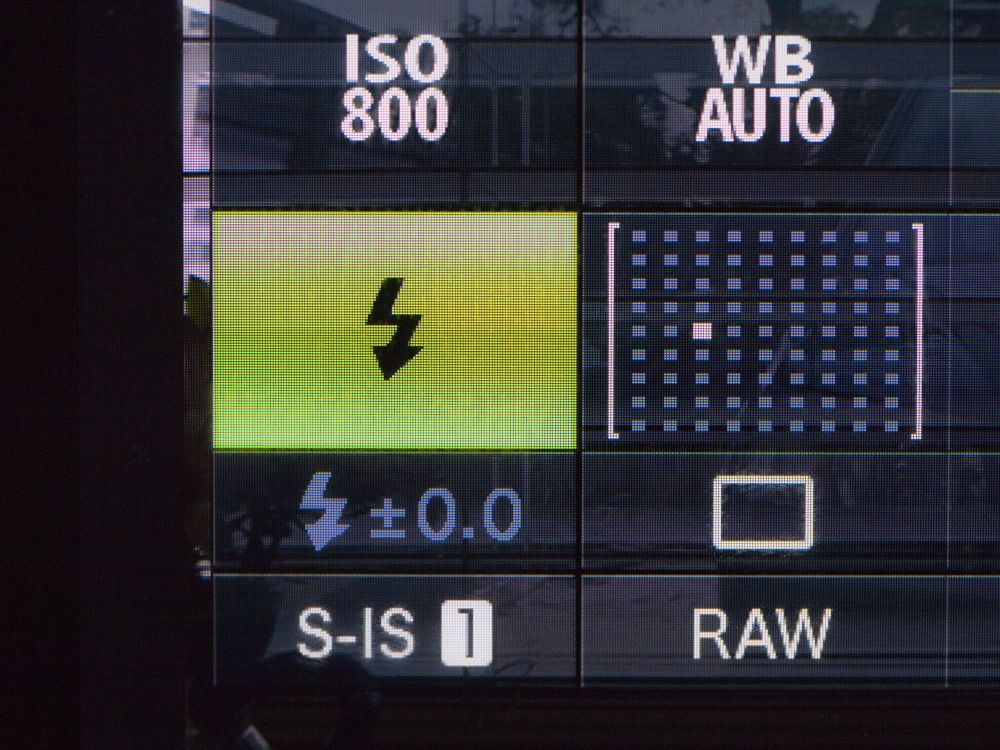
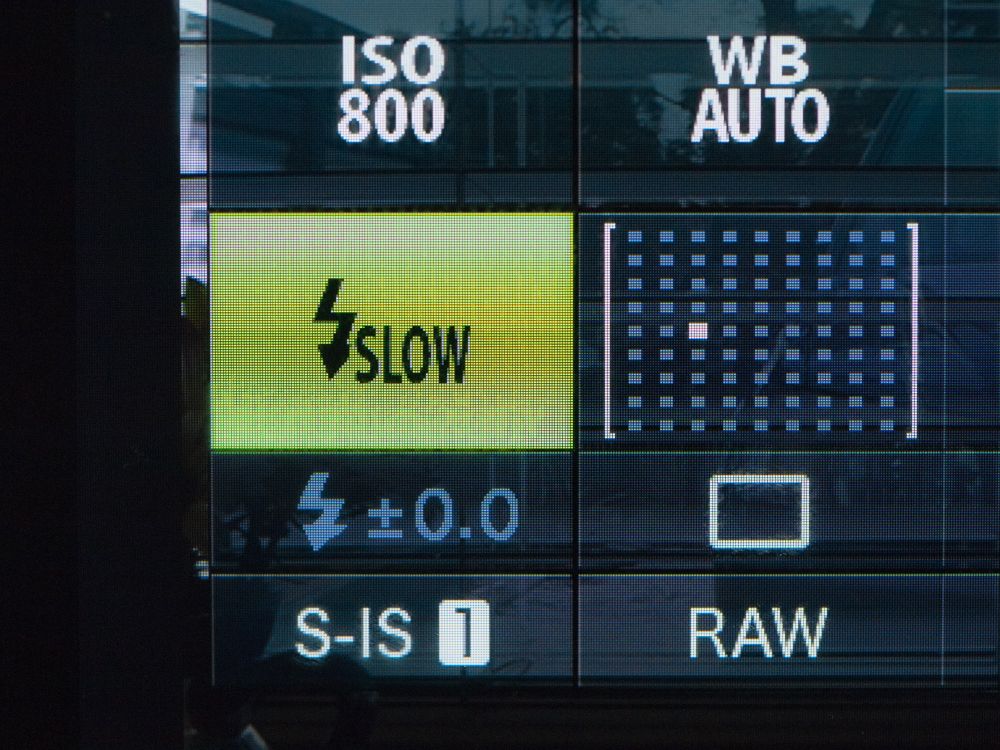
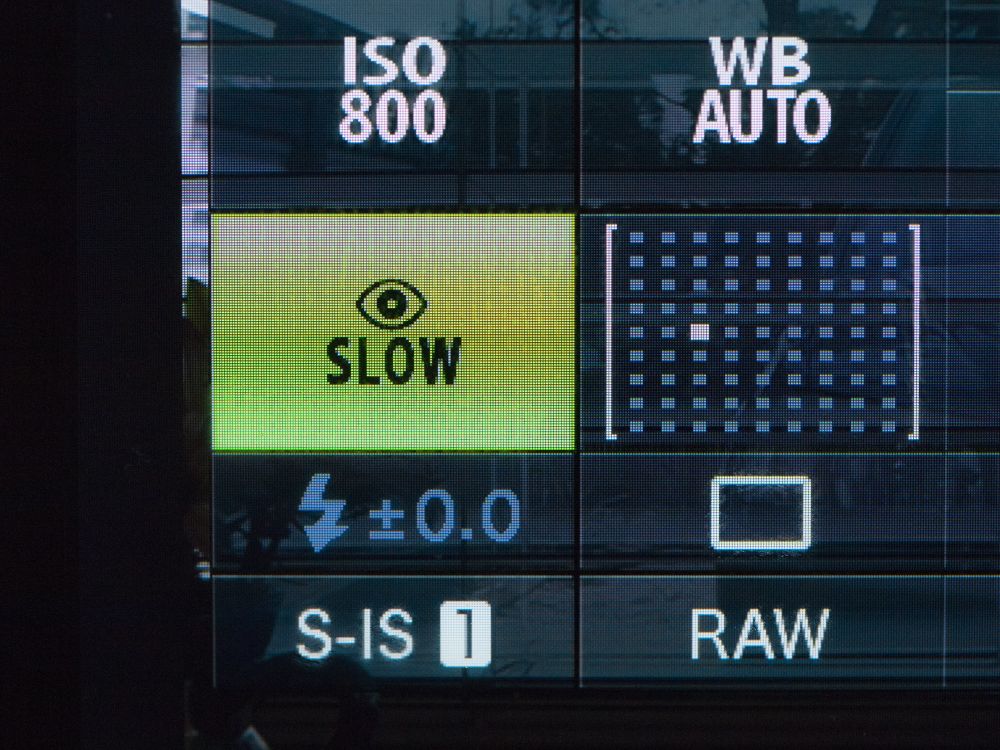
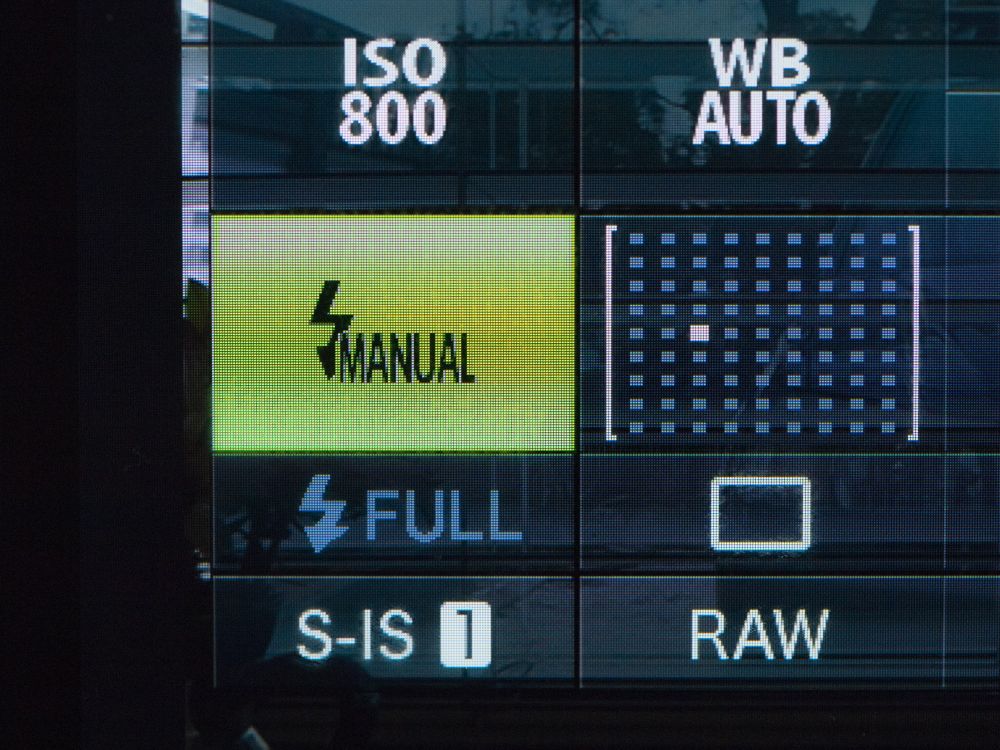
If you select the flash section in the SCP as is highlighted above you can cycle through the various flash options.
Auto TTL
Auto TTL. Here the flash fires automatically when there is low light or the subject is backlit.
TTL Fill Flash
TTL Fill Flash. This is where the flash fires irrespectively of lighting conditions.
Red Eye Reduction
TTL Auto with red eye reduction. If you are shooting portraits with the flash on the camera this is the mode to use.
Slow Speed Sync
Slow speed flash for shutter speeds 60 sec to 1/200
Slow Speed Synch with Redeye Reduction
Slow speed sync with red eye reduction.
Slow Speed Sync on the 2nd Curtain
Slow speed sync with second curtain synchronisation. This means with moving subjects the light trail is behind the subject rather than in front of it as occurs with normal slow speed sync.
Manual
Manual – this is where the photographer decides to control the flash by either increasing or decreasing the out put. 1 is full power, 1/2 is half power, 1/4 etc. Manual mode must also be selected on the flashgun.
Flash off
When shooting in TTL mode the meter reads the amount of light reflected back off of the subject to determine the “correct” exposure. As mentioned previously the problem with reflective meeting is that certain tones or surfaces can fool the meter into over or under exposure. This can be corrected for in the SCP by using the flash exposure compensation. The photographer takes an initial photo and reviews it on the LCD, I prefer to do this using the histogram, others swear by the shadow and highlight blinkies. The flash out put can be adjusted by up to + or – 3 stops. The adjustment just effects the flash output and not the global exposure value. This can also be used for creative effect particularly when shooting portraits outside in strong sunlight. Using full TTL flash when combined with the sunlight can give an unnatural look as there will be no shadows on the face, dialling in -1 or 1 1/3 stops preserves the shadows but allows us to see into them. It can also give a pleasing catchlight in the subjects eyes.
Honey bee on a lavender flower. Olympus EM-10 with OLYMPUS M.60mm F2.8 Macro and Olympus FL-600R cash gun. Exposure aperture priority with high speed flash sync 1/640 s at f/4.0 ISO 400.
The non TTL modes of the flash must be selected on the flashgun itself. If you are using the Olympus FL-50R, the FL-36R or the FL-600R (and certain other third party models) you can shoot in FP mode in either TTL or manual modes. This means that you can shoot at shutter speeds higher than the maximum synchronisation speed (between 1/180 and 1/250 depending upon camera model) all the way up to your maximum shutter speed of 1/4000 sec (or 1/8000 for the EM-1). This a boon for shooting portraits out doors using fill flash. However, as with anything in photography there is no such thing as free lunch and the trade off for this is a reduction in the flashes output. Shooting a head and shoulders portrait with a 45mm lens using the FL-50R, the FL-36R or the FL-600R and you should be fine. Full length portraiture and you could be struggling.
Off Camera Flash
An Olympus dedicated Metz flash set up on a lighting stand ready to be triggered by an the RC mode on an Olympus camera.
Olympus provides two ways of using flash off of the camera:
i) Olympus Flash Extension Cable FL-CB05, which at $144 AUD is ludicrously expensive. I bought an Aputure AP-TLO TTL cable for $25 AUD including postage off of Ebay. This is handy if you want to use a flash bracket to just get the flash away from the axis of the lens so as to prevent red eye or you want to do some close up or macro work and don’t want to buy a separate flash for it. If you are using an Olympus flashgun you will have to change the custom settings for the flash to enable this.
ii) Remote Control or RC mode. As long as you have a model that was introduced after June 2011 when the EP-3 was announced and an Olympus Flash with the letter “R” at the end of the model number or a third party unit fully compatible with current Olympus TTL protocols including wireless, then you are good to go.
Generally there is a lot of confusion about the RC mode because it is also referred to as wireless by Olympus and people assume therefore it a radio trigger. In fact the system works off a near invisible flash pulse from the control flash. This has a couple of downsides. The first being that the sensor on the remote or slave flash must have line of sight communication with the master control unit so this limits where you can put the remote and precludes the use of certain types of light modifiers. Secondly The range isn’t very great. Olympus says that it is 5-7m depending upon the “local conditions”. What I have found that you’ll only get 7m inside, outside in very bright sunlight the performance is very much reduced and in some cases will not work at all.
To use RC mode, first you have to go into Shooting Menu 2 in the main camera menu and turn it on. This now enables the flash control menu in the Super Control Panel. To access it you either need to pop up the built in flash on your camera, or if you don’t have one then put in your accessory flash FL-LM2 in the camera hot shoe or use a larger external flash that has RC controller capabilities. Then access the SCP panel as normal.
The blinking camera icon is for controlling the onboard flash. It can be set to TTL, manual ( full power down to 1/64) and off. I generally leave it as off because when I use RC mode I don’t want the onboard flash contributing to the exposure. Even though it says off the flash still emits a series of pulses of nearly invisible light to transmit information to the slave flash units.
The FP box is highlighted here. The choices are FP or high speed sync (remember that this is a function of the flash and so your flash must have this ability to use it), and normal flash sync. Underneath is an icon that looks like the camera is shaking because it has had an electric shock. That sets the the intensity of the light pulse of the commander unit (Low, Medium, and High) I leave mine at high all the time as it is then one less thing to worry about.
It is important to ensure that both your RC controller and your slave flashes are set to the same channel. In the event of several m4/3 users wanting to all shoot with RC flash at the same time you can set up so you use a different channel.
You can have three groups of flash and although Olympus states that technically you are not limited to how many flashguns can be in a group they also say that three is probably the limit due to “interference” (page 36 of the English instruction manual for the FL-36R). Here I have A and B activated in TTL mode.
You can also use the manual exposure for flash in RC mode and you can set the power output via this panel. This is a very nice feature if you have your lights set up on stands you don’t have to keep walking over to the light and fiddling with it you can do the adjustment from your camera.
RC Auto lets you trigger the flashes remotely but the metering is done by a cell on the flash and it measures the light reflected back from the subject. Not a mode I could see myself using as it is quite an imprecise way of working and TTL or Manual offer far more control and consistent results.
So although it seems complicated the Olympus flash system offers an impressive range of features that allows for creative lighting techniques. With a small range of lighting modifiers such as diffusers, bounce cards, umbrellas etc you are able to produce “professional” looking photos.
The video below is a summary of the above.
The next part of this will look at the FL600-R flashgun and how to specifically use that in conjunction with a m4/3 camera.
A laptop with DVD burner, two external hard drives and a card reader is all a photographer needs to build a reliable workflow.
Talk to any photographers long enough and the subject of workflow comes up. Most will have horror stories of cards dying, hard drives failing and loosing photos by the score. Others will say how expensive and time-consuming all the back-end of photography is and why can’t be simpler and cheaper. Well it can.
Most people take a haphazard approach to workflow and that is fine until one of a couple of things happen. The first is that you start shooting so many images that processing and archiving takes forever. Or there is a catastrophic failure and hours of time and precious images are lost. But really all it takes is a small outlay of cash and some good habits and you have cracked the issue.
The foundations of a good workflow practice are:
a colour calibrated monitor
two external hard drives
a card reader
DVD burner
parametric editing software with digital asset management functions
Hold on I hear you cry. The first four are understandable and speak for themselves, but what the blinking flip is a parametric thingy ma bob? It’s a fancy pants and non-committal way of saying Lightroom or Aperture which allow you to edit photos without changing the original photo file. The digital asset management is a powerful filing system that allows you to organise your files and manage them. Putting the two functions into one package means that for most photographers 95% of the work can be done within that one program.
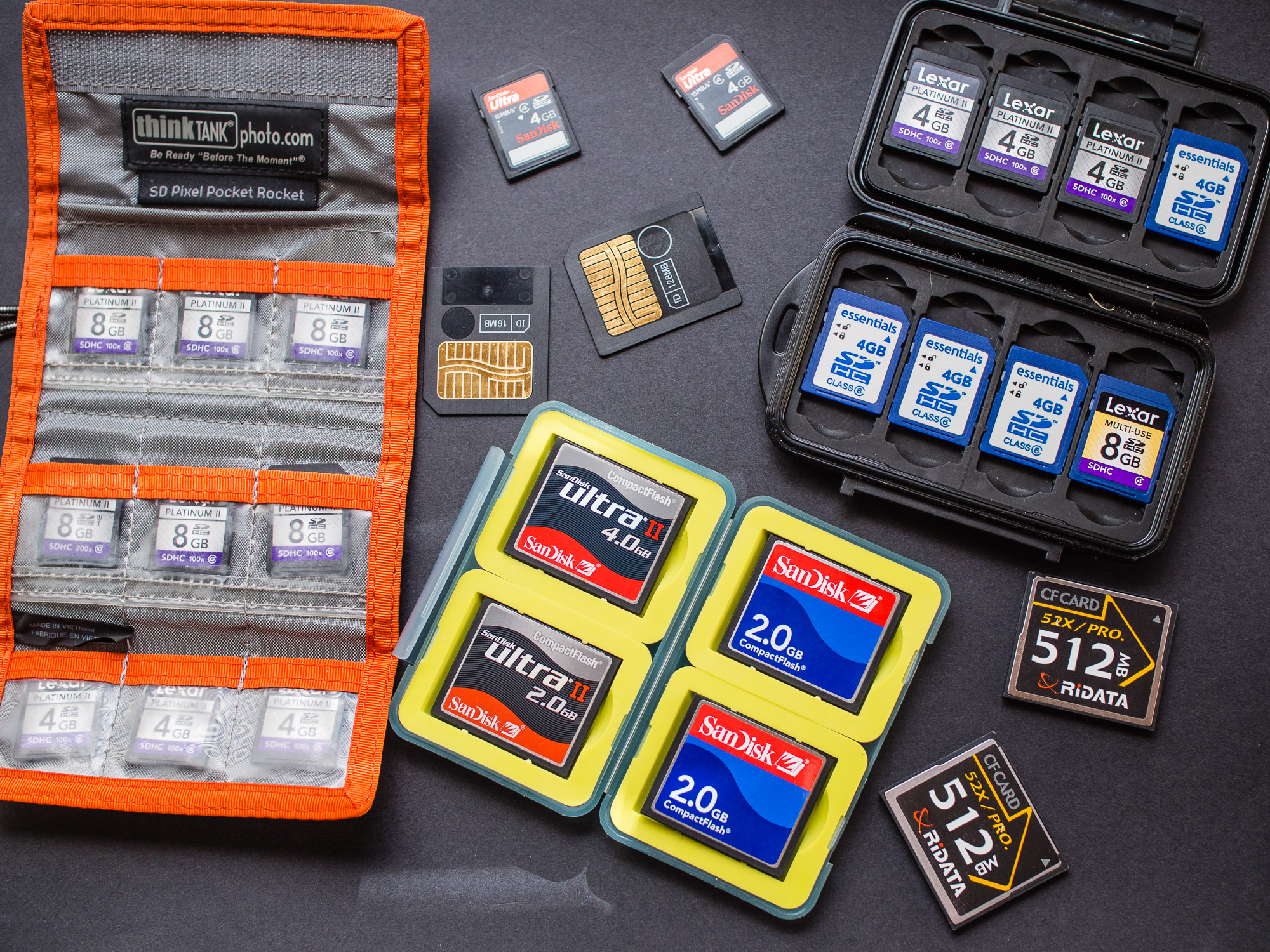
Memory cards are now very cheap. Develop a strategy for keeping them safe while working in the field.
The start of good workflow is in the field when you’re shooting. A little bit of attention here can save literally hours later. Shoot with a large colour space – Adobe RGB. Ensure that your exposures are good and your white balance is correct. When I was teaching so many of my students said that they’d fix things like this in Photoshop. Ok you can fix somethings in post, especially if you shoot RAW, but the question is that when you’ve come back from a wedding, an event, or even a holiday and you’ve potentially got a thousand images would you want to go through every single image making corrections when you could have done it at the taking stage. If I use multiple memory cards I have a system that means that the full card is put away safely and in a way that it can’t be muddled up with empty cards. The next choices all depend upon whether you are shooting something that will generate a large number of images that will require little to no post processing, or you are shooting and image that is going to be optimised and processed intensively for high quality out put. These are called respectively “batch-processed workflow” and an “optimised workflow”. By batch processed, we mean image files that have been collected and processed all at the same time.
The characteristics of a batch-processed workflow are:
– Often used for sports, news, and event photography
– Often will be a high volume of images
– Will often be all, or a substantial portion, of all the images from the shoot
– Often involves a quick turn-around time
– May involve JPEG or raw capture, but is mostly based on JPEG capture
– May be JPEGs or raw files that have received a round of parametric image edits in Lightroom or Aperture and then processed out to JPEG or TIFF
– May be camera JPEGs that have had metadata added and possibly been batched renamed but are otherwise as processed by the camera
– May be camera JPEGs that have had metadata added and possibly been batch renamed and then processed through Photoshop with an action or set of actions or in Lightroom with presets that applies the same tone or colour enhancement to all the image files.
An optimised workflow takes digital capture beyond the batch processed file. In the optimised workflow, the photographer continues to exercise creative control after the shoot (also referred to as “post production”), which may involve image compositing, retouching, stitching, high dynamic range tone mapping and other techniques, to produce a finished piece. An optimised workflow involves more work and has more steps, sometimes many more steps than a batch workflow. Although turn-around times can be quick when deadlines make that necessary, there is usually more time built into an optimised workflow. In an optimised workflow, the photographer will tend to gather more information about the final uses. This often extends to researching the type of press and paper that will be used for printed output. Photographers that operate at the highest level in the industry practice an optimised workflow. They are usually known for their post-production skills and style, which they use to complement their pre-production conceptualization and capture techniques.
Characteristics of an optimised workflow are:
– Often used for advertising, corporate, high-end editorial, and portrait photography
– The optimised workflow should always start with raw capture.
– If the final desired result is a stitched or High Dynamic Range (HDR) image, the captured images need to reflect the panoramic sweep or the exposure range optimally.
– The optimised image files will usually be a small portion of the shoot’s post production.
– Optimised files will often be selected for optimisation from a batch process of the edited and proofed shoot.
– Optimised files will go through a series of steps involving optimisation in Lightroom or Aperture and may involve additional optimisation in a pixel editing application, usually Photoshop.
– Optimised files are ideally saved as master-files, which are usually high bit TIFF or PSD files normally saved in Adobe RGB (1998) or ProPhoto colour space. However, they may also be raw files that have been optimised in Lightroom or Aperture or even saved as Adobe DNG. Master-files may have capture sharpening applied, but should never have output sharpening applied.
– Optimised master-files are the source files for all other derivative files which may include files further optimised for print, printing (CMYK), or screen (Web, projection, etc.)
The workflow process can be divided up into its key components.
Capture the image to the card.
I select the photos I want to copy to my library and then I add a basic generic tags.
I rename the files so they the date, name (place, person event) and then the image number.
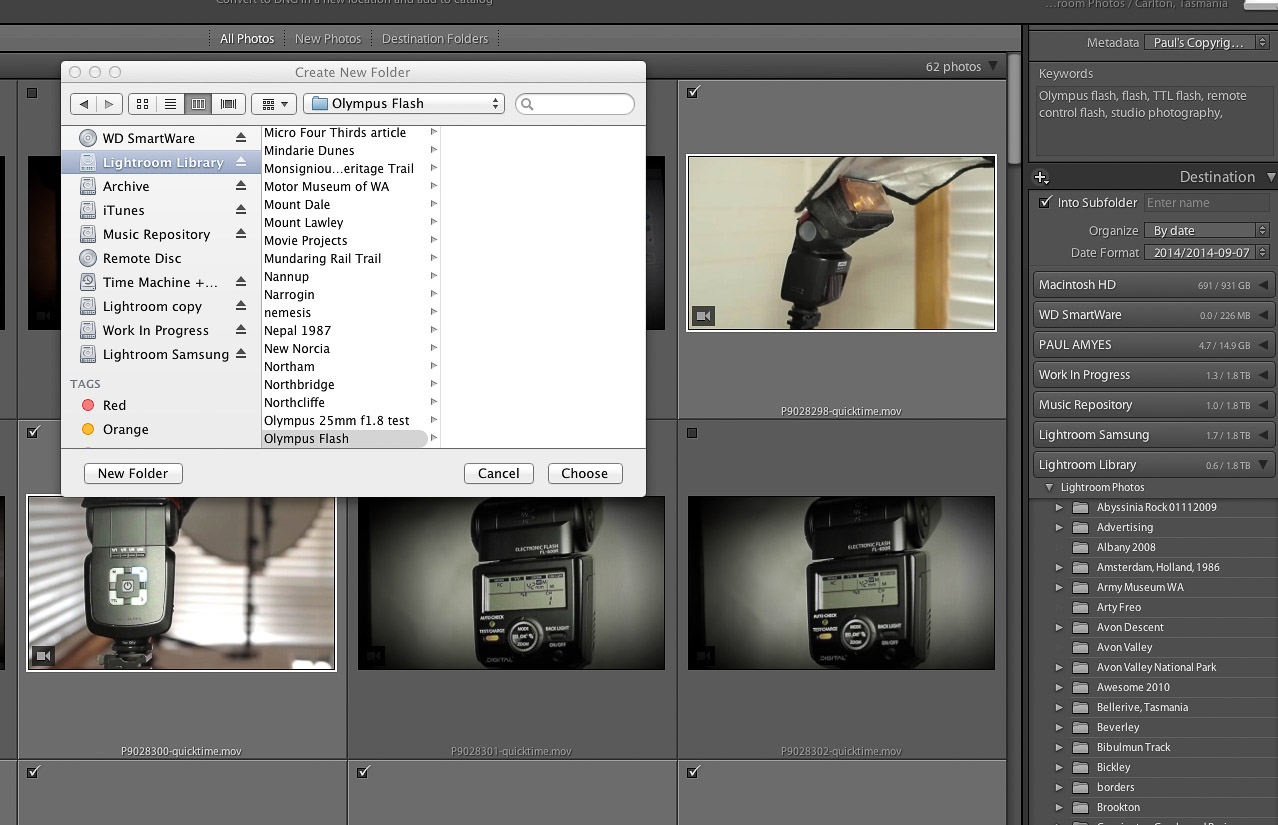
The images are then placed into a new folder with the name of that event, place or person or if part of an ongoing project the folder for that.
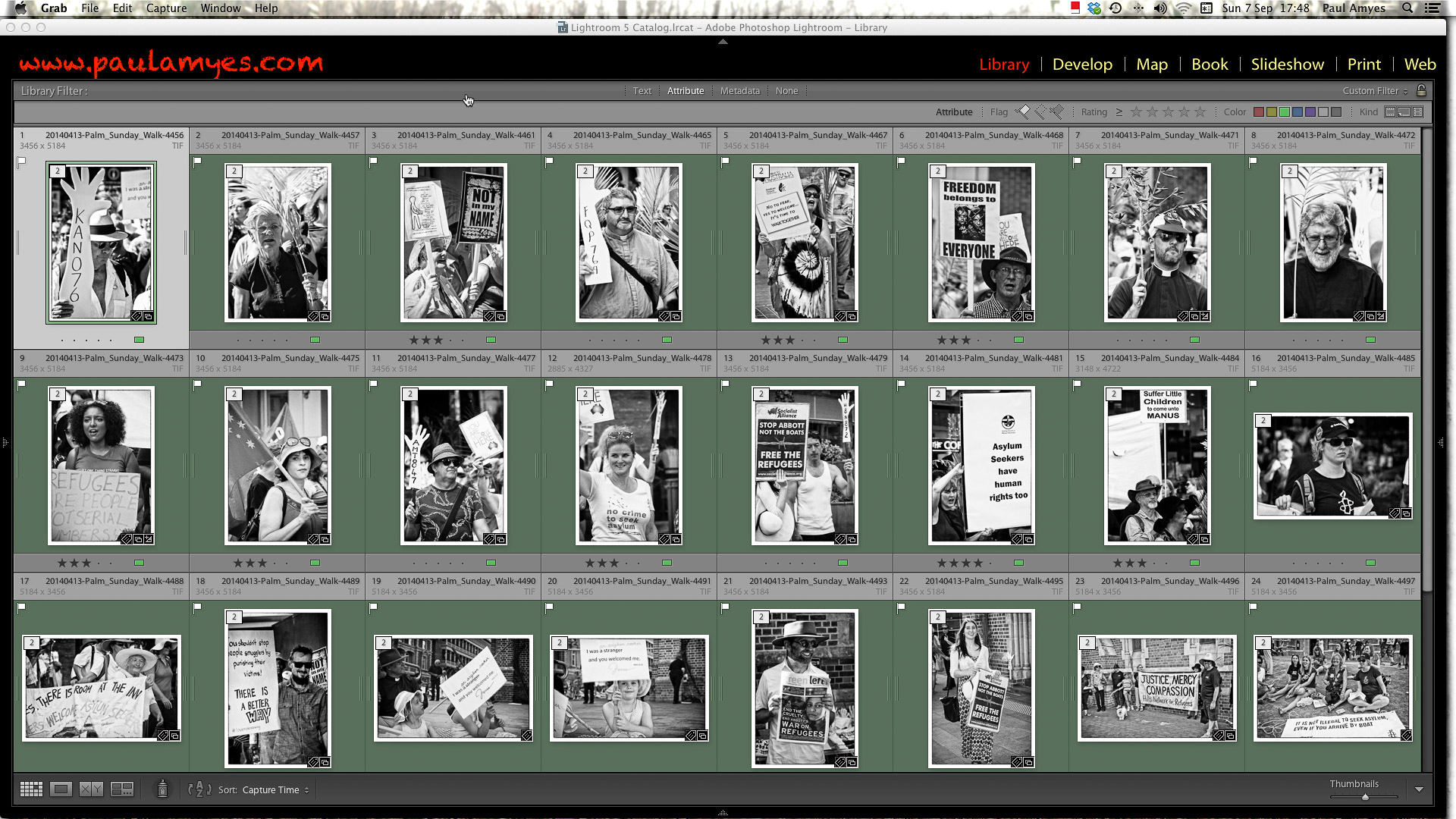
Ingestion. The images are downloaded from card to computer. When I get back home from a shoot. The first thing I do is create a folder on my desktop which is titled with the place or name and the date. All the image files are copied over to that folder. The cards are then put aside in a safe place. I then copy the folder onto DVD. This means that I now have 3 copies of each file. I then open Lightroom and look to import the images. At this stage I perform the first edit and choose only correctly exposed and sharp images. The files are renamed with the name and date and a 4 digit number. I also add basic tagging with places and names and my copyright details. Depending on the nature of the job the images will be put either into their own specific folder within the Lightroom catalogue, or if it is part of an ongoing project into an existing folder. When that is done I synchronise my Lightroom catalogue and back up the hard drive onto another drive using a program called Get Backup. At this stage I can now put the cards back into circulation as I’ve the folder on my desktop, the drive with my Lightroom library and the copy of that drive.
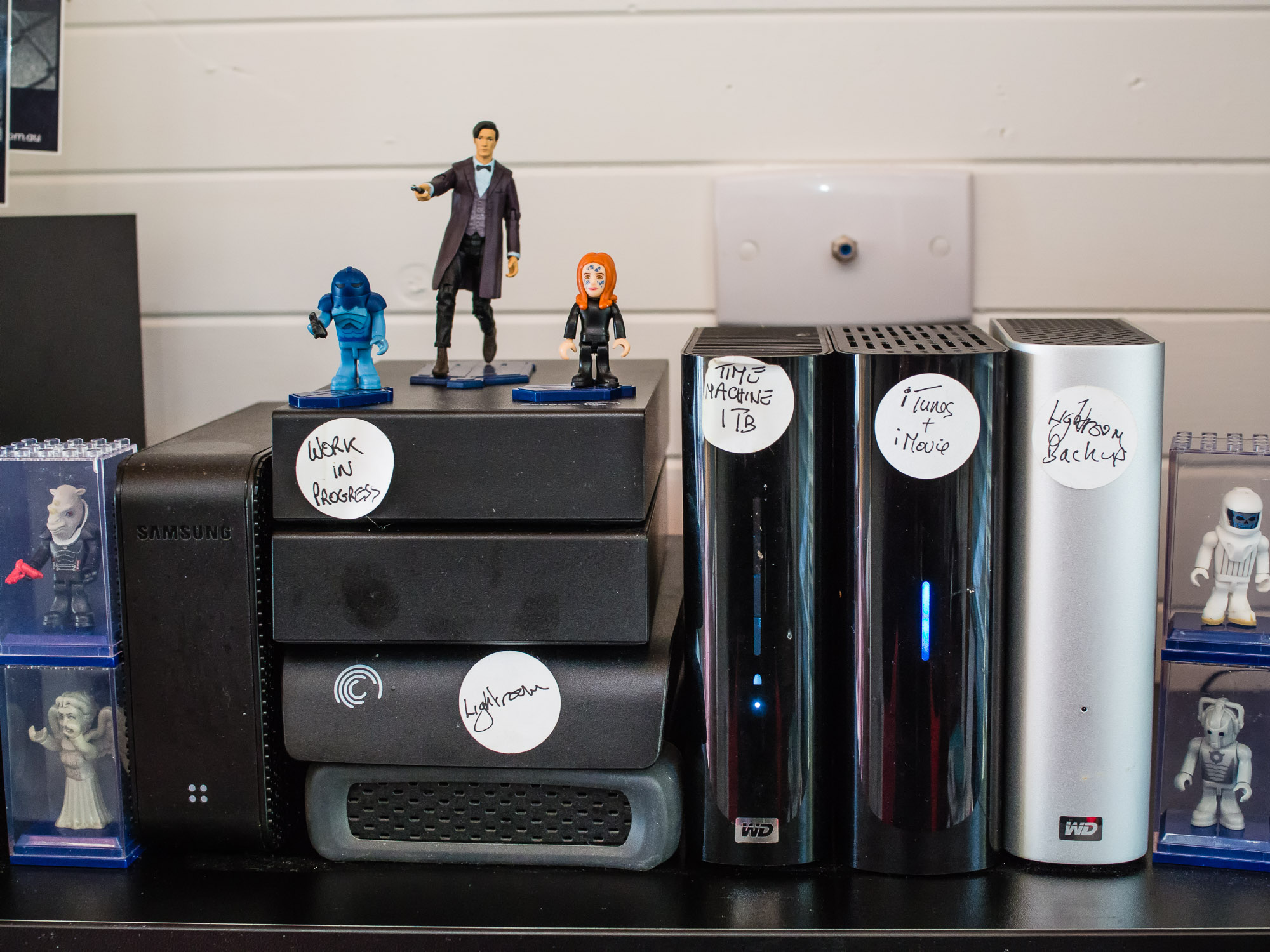
I use Get Backup to synchronise my two hard drives so that I have a working copy of my Lightroom library and then an identical backup. If the main drive fails I can switch to the identical copy, get a new drive and clone the library to it.
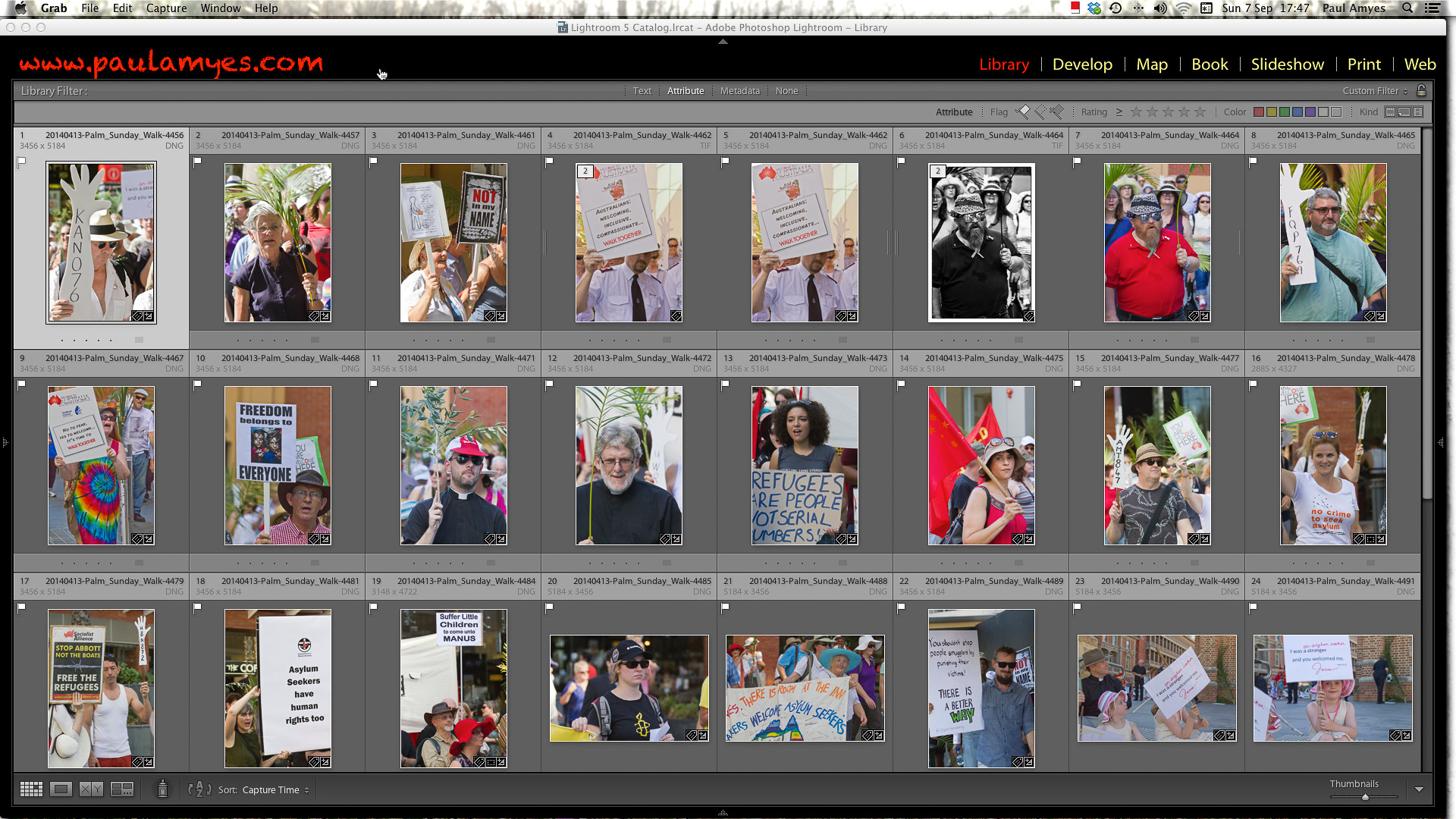
I flag the pictures that I want to work on and then carry out basic adjustments in the develop module.
Second edit. Each file image is assessed and if it passes it is flagged Basic adjustments are carried out, and this done on an individual basis, or using presets. If this a batch-processed workflow then the images are captioned and given tagged with image specific terms. A final edit is made and I give the final selection a green colour label. and I move onto the output stage. If this a job that requires optimised output I then rate the images on a scale of 1 to 5 and label each accordingly. Once that is done anything higher than 4 will have extra post processing done using either Photoshop and or various plugins. The editing in Photoshop is done in a non-destructive manner using layers and saved as either TIFFs or PSD.
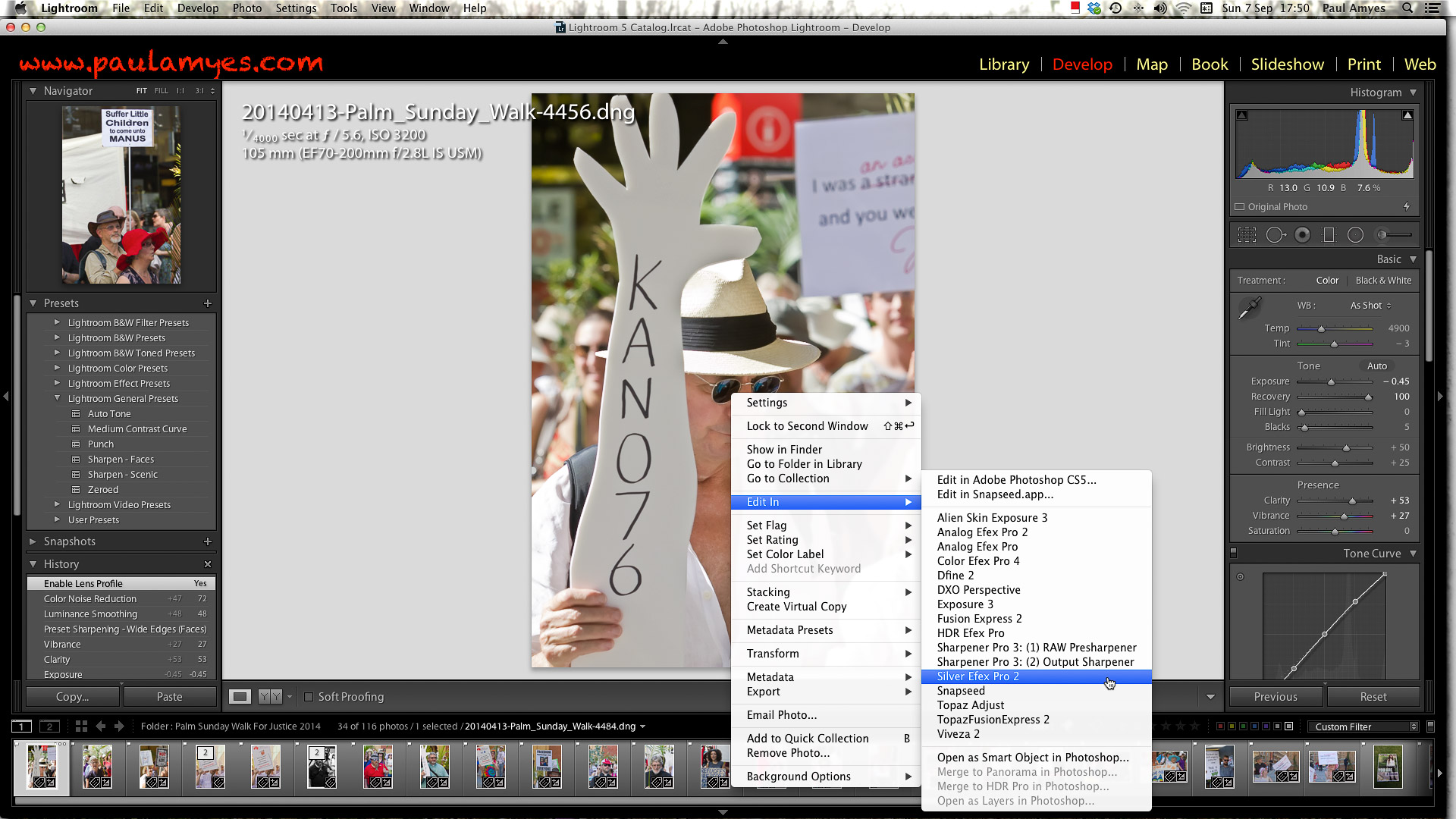
If I think the image requires further work or the nature of the project demands that then I choose to edit in an external application – in this case Silver Efex Pro2 a Lightroom plugin.
Once I’m happy with the images I re-assess them and those that I think should be used, or sent to a client are then colour coded green.
Batch output and delivery. The images are out put according to their usage – basically web or print. It is at this stage final sharpening takes place, if the image goes to the web it is converted to sRGB and saved as a jpg at the appropriate size at 75%. If the images are to go to print, then they are sharpened and flattened and saved as Adobe RGB either as TIFFs if they are being sent to the client on disc, or saved as jpg at 85% if for sending via FTP or Dropbox. If I were to print the images myself then I would do that at this stage using the Lightroom print module. Same with self publishing I would do that through Lightroom and output the finished book to Blurb. With slideshows I prefer to use iMovie so I output the images as jpgs at 2000 pixels on the longest side and export them to iPhoto so they are ready for use in iMovie.
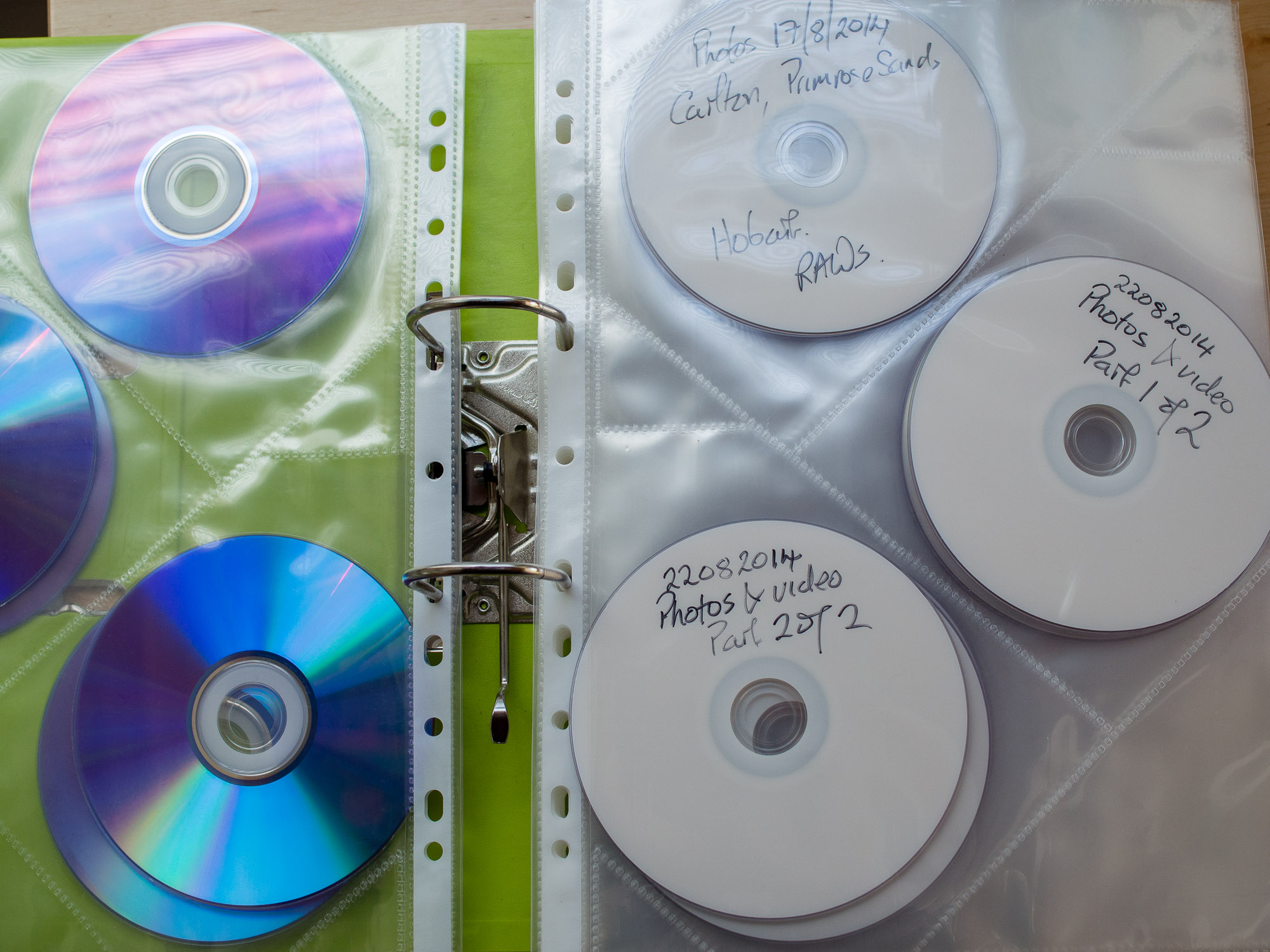
DVDs provide a cheap and effective backup strategy.
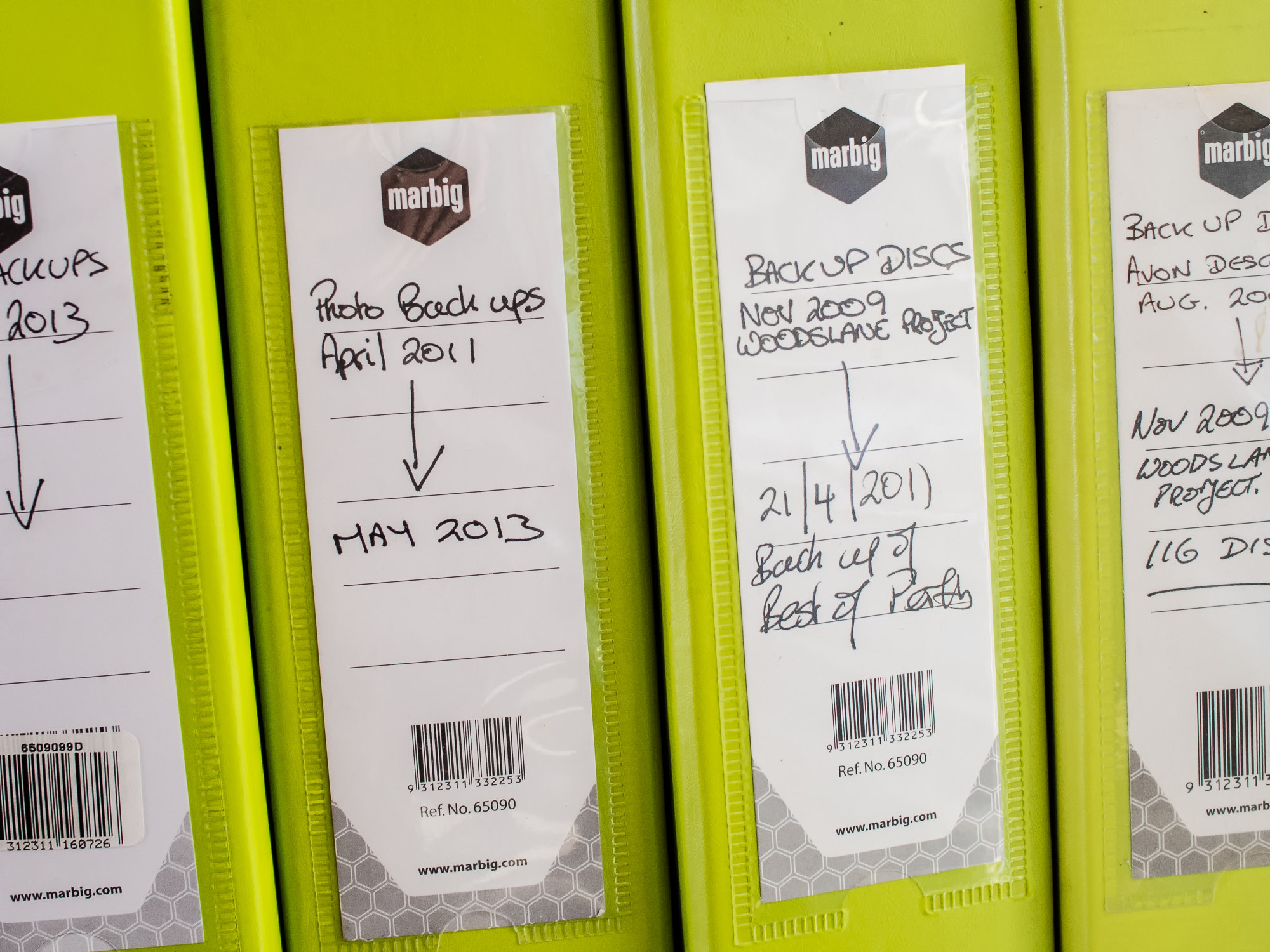
Keep your DVD backups organised and easy to find.
Archive. I make a DVD of the selected images saving them as TIFFs and then using Get Backup I back up my Lightroom library again. The selected images are then also uploaded to 500px and Flickr accounts as jpgs as a form of cloud storage. Flickr gives you 1 terabyte free and you can purchase more and my 500px Plus account gives me unlimited uploads for $25 USD per year. Both allow me download the images again. I have Get Backup scheduled to back up my library everyday so that if anything should happen to my Lightroom library I would lose at most just 24 hours of work and I can use the DVDs to reload the RAW files.
External hard drives are cheap and provide ample room for storage of digital images and video files.
Now we’re all multi-media artists and shooting video and recording audio there a couple of extra things to do. I have a separate drive for video projects and I also have a duplicate of it that is synchronised via Get Backup. So the workflow is as follows:
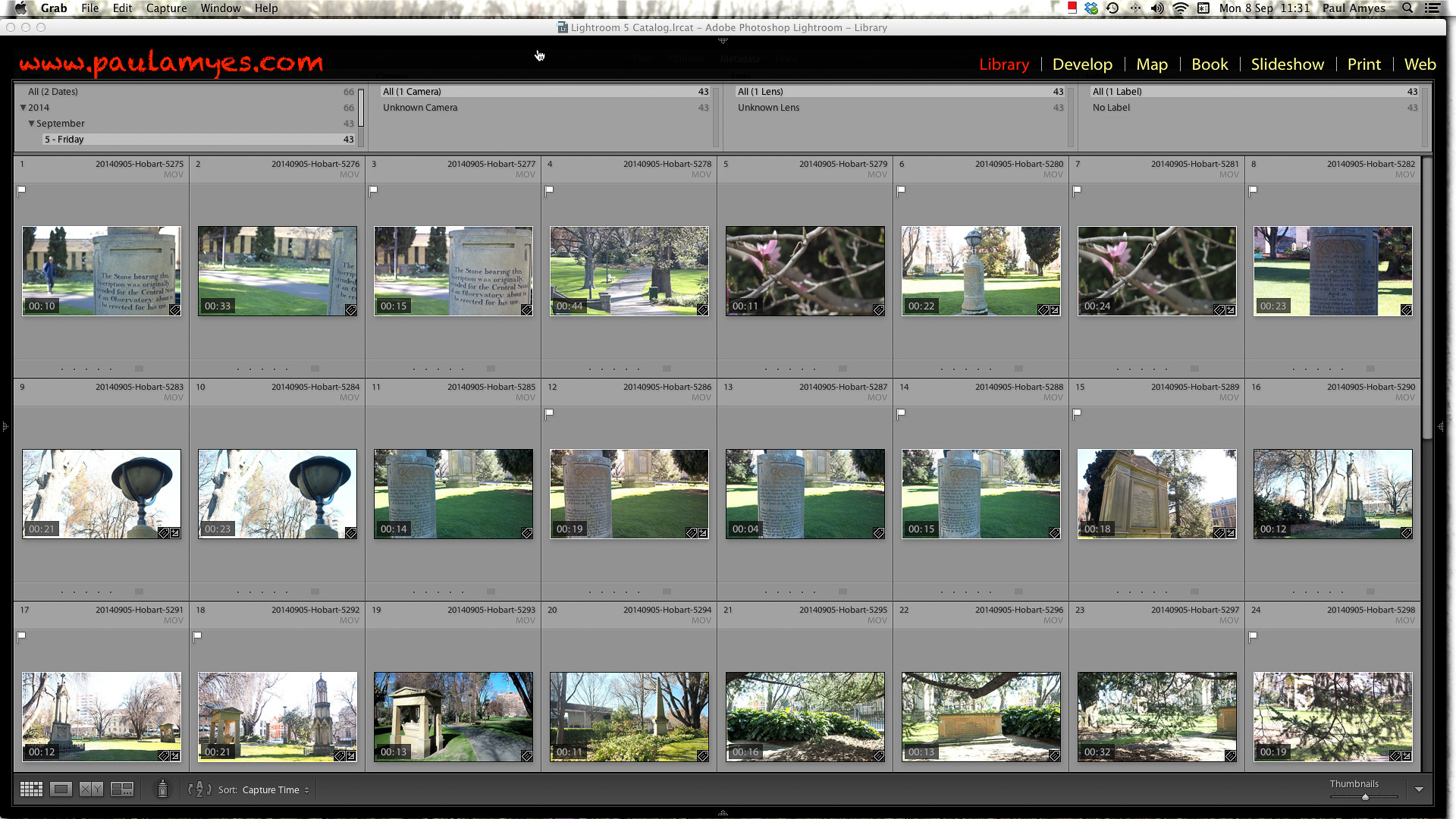
Video files are imported into Lightroom the same way as stills. They re-named, tagged and placed into a folder. After that each clip is viewed and those that are selected are then flagged.
– Transfer the files to a folder on the desk top and then copy them to a DVD or Blue Ray disc. Import them into Lightroom and make your selection for the clips you want to use. Back up the Lightroom catalogue and synchronise the disk with its copy.
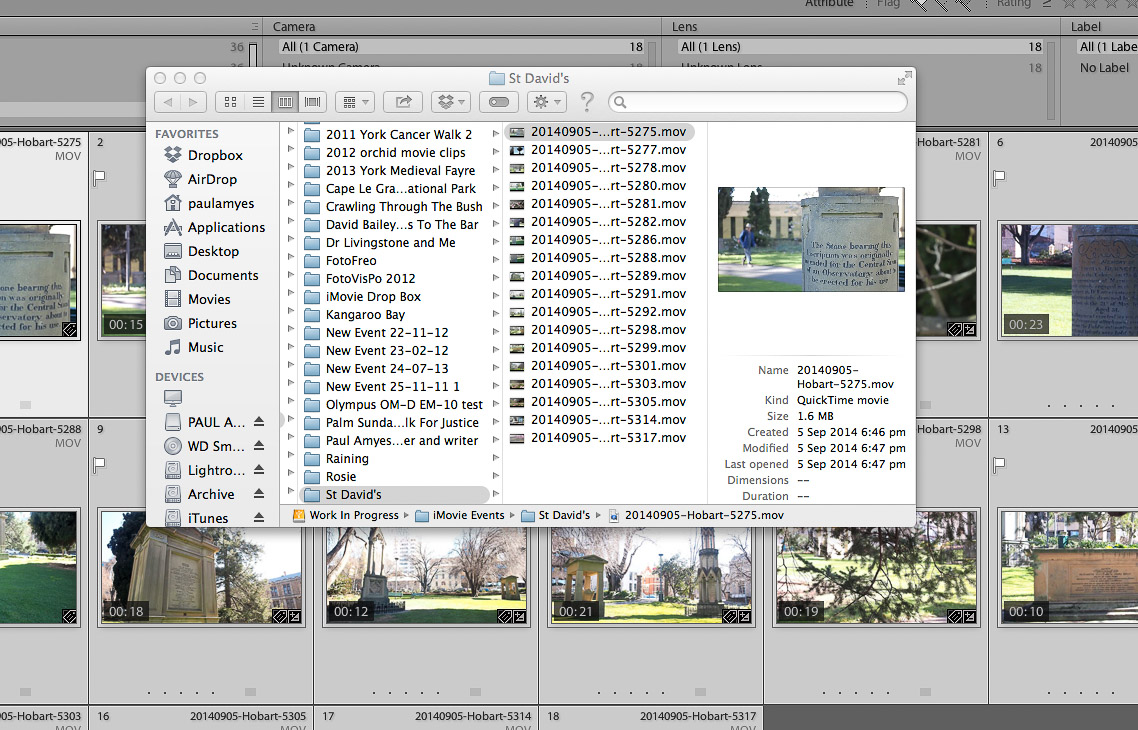
The selected clips are then copied over to an iMovie Event Folder made for the video project.
– When done open iMovie create a new project for your. video. I create a new event and call it the same name as my project, it helps me organise things so I don’t lose them. Import the movie files and I also add any audio files. Then the project should show in your time line and the footage in your event library.
Import the video clips into iMovie by going to File > Import > Movies and open up the folder where you copied the clips to from Lightroom.
– It is then just a matter of dragging and dropping the clips onto the time line. I work by dragging the clips into roughly the order I want. I then trim them so they’re not too long and boring.
Then just drop the clips onto your timeline in the order you want them.
Edit the clips for length, stabilisation, rolling shutter, colour correct and adjust the attached audio.
Just as I did in Lightroom, if I want a certain look to my images I’ll use an external editor or plugin. Here I’m using Film Convert.
I add my titles and my credits back in iMovie.
– Then I edit the clips sorting out camera stabilisation, rolling shutter, and tweak the exposure as needed.. Then I sort out the audio making sure everything is at the same level so there are no sudden bursts of loud noise to scare the unsuspecting viewer, or there are no quiet spots where no one can hear anything. I then put a title page on the front and an credits page at the end.
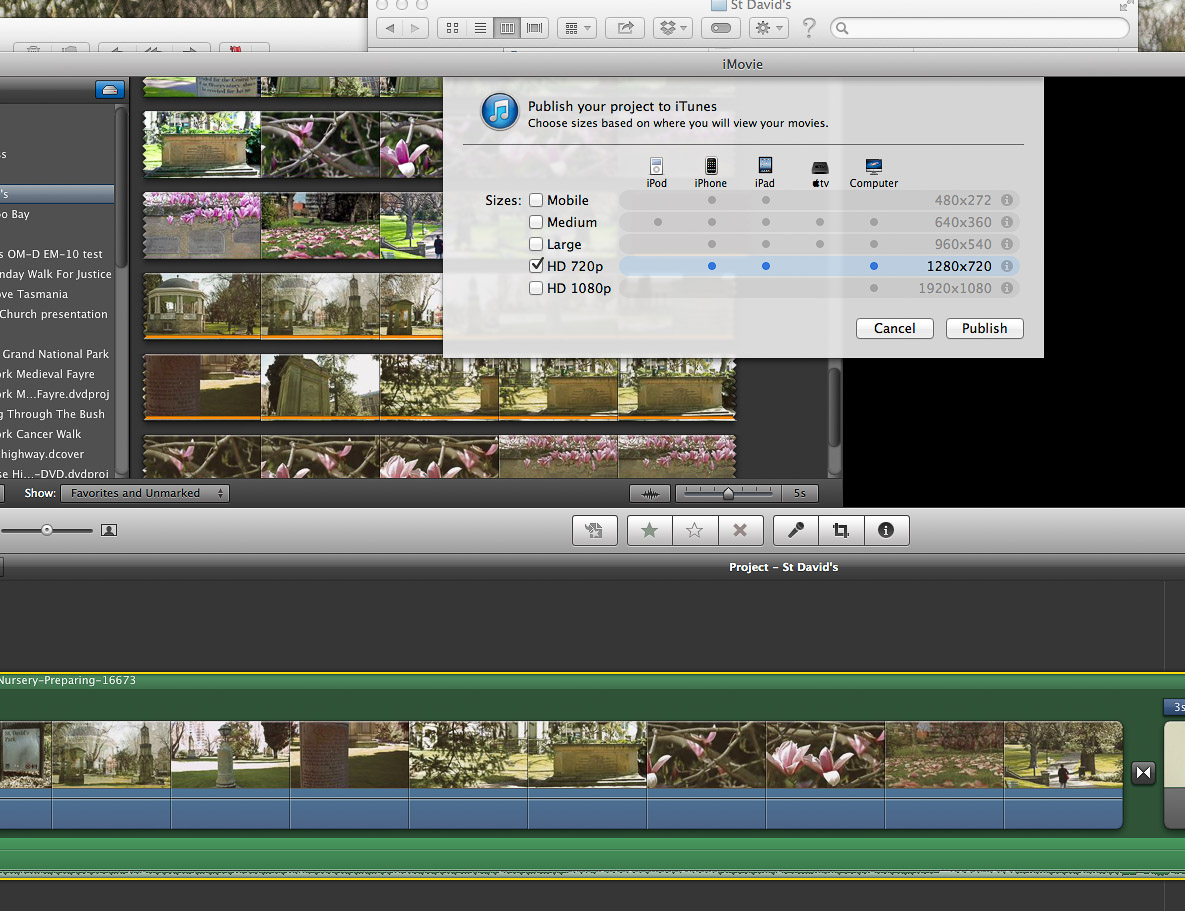
Publishing to iTunes
Uploading to You Tube. I add a description and tags so people can find it and know what it is about.
– Last but not least, this when I drop the music sound track onto the project if I’m using one. Check it all to see it’s what I want then I export to iTunes and upload to YouTube or Vimeo. If I’m making a movie for family I send it to iDVD to make a DVD that will play on a standard DVD player. This is of course at standard definition rather than HD.
Make a DVD or Blue Ray copy.
The finished uploaded movie.
In Summary
1) Hardware
– Get the best monitor you can afford, and keep it regularly calibrated and profiled in an appropriately illuminated environment.
– Acquire abundant hard drive storage capacity.
– Maintain your computer and operating system properly.
2) Capture
– Shoot raw if possible. This provides the highest image quality and the most flexibility for image correction and interpretation.
3) Colour
– Always embed and preserve the appropriate color profile in image files
– Use a large color space for image editing, such as Adobe RGB (8 and 16-bit) or ProPhotoRGB (16-bit)
– For best possible results, you may want to profile your camera or printer
– When delivering image files, make sure both sides understand color profile requirements.
4) Image Editing
– Use parametric image editing tools for as much image editing as possible.
– In order to enable non-destructive image editing in Photoshop, use and save layers, adjustment layers and smart objects to master files.
5) File Management
– Assign unique file names to images in order to distinguish one file from another and to prevent overwriting of files.
– Create a naming convention that is easy to use and remember and that can be automated.
– Use folders to organise and store files.
– Use metadata and cataloging software to manage the content of your image collection and to streamline image searches.
4)Metadata
– Embed credit, contact and copyright information in all image files.
– Add bulk metadata to describe the shoot and add keywords as necessary.
– Use the appropriate metadata field for more specific tags such as location.
– Be aware of programs and workflow steps that may strip metadata.
5) Backup
– Use a 3-2-1 backup (3 copies, 2 different media, 1 stored offsite) whenever possible.
– Clearly distinguish the primary and backup copies of your digital image files.
– Schedule system backups to occur at appropriate places in the workflow and image life cycle.
– Clone your system periodically to avoid lost time and lost data in the event of system drive failure.
6) Preservation Management Practices
– Archive capture files as soon as possible in the workflow to protect your images.
– Archive layered master files to ensure projects can be re-created in their entirety.
– Migrate to new media periodically, to prevent loss due to media failure and to increase the speed of access.
– Migrate to new file formats as necessary to stay current technologically and to avoid obsolescence.
– DNG offers a secure openly documented and forward compatible format for image archiving.
The Olympus 25mm f1.8 standard lens. Small but beautifully formed. Olympus even give you a lenshood!
The other day I was sitting at my desk just idly surfing the net when a courier van pulls up and leaves a small box. Once unwrapped it revealed an even smaller box containing the Olympus m.Zuiko Digital 25mm f1.8 lens. Now for a long time I’ve always believed that every photographer should own a fastish standard lens. In fact I also believe that if should ever find yourself in the photographic doldrums then just committing to use a standard lens for a period of 12 months will see your photography improve no end. I had one for my OM film system (and still have and use it) and I have one for my Canon EOS digital kit, but a little while back I had a dalliance with film range finder cameras and I eschewed the fast 50mm in favour of a pancake 35mm moderate wide-angle. In fact I was so smitten with the focal length that when I adopted the m4/3 system the Olympus 17mm f2.8 pancake was a must have, and if I look through my Lightroom catalogue over half the picture I’ve taken with my Pen and OMD have been with that lens. So now I’m in possession of a fast standard again.
No obvious lens distortion.
My initial impressions are that although it has a plastic body it is well made, although not as well made as say the 60mm f2.8 macro. It continues with the clean modern lines that Olympus adopted with the launch of the EM-5 and it feels well-balanced on both my EP-2 and EM-10. The other small thing that makes feel very positive about the lens is that Olympus have finally stopped being tight and are including lens hoods. The hood is hard plastic and bayonets securely on to the lens after the front cosmetic rim of the lens has been removed. Nice – a good lens should have a lens hood to get the best out of it. After a couple of days of shooting stills out and about I found that the focal length took a little adjusting to, it is a bit narrow for my tastes, but I quickly adapted and started looking for subjects that would play into its strengths.
DOF comparison 1 Olympus Zuiko 25mm f1.8 lens wide open at f1.8DOF comparison 2 Olympus Zuiko 25mm f1.8 lens at f8DOF comparison 3 Olympus Zuiko 25mm f1.8 lens at f22
So optically how did it fare? Very well. There is no distortion worth talking about and although shooting wide open there is some slight chromatic aberration but this disappears very quickly and by f4 it is gone. Sharpness is good with the centre of the lens performing very well wide open with some softening towards the corners again things improve quickly as you stop down, but get down past f11 and things start to soften up again as diffraction rears its ugly head. Diffraction isn’t a fault of the lens it is a problem with the size of the sensor, and all sensor and film sizes suffer from it. The lens isn’t what I would call “clinically” sharp in the way a lot of modern lenses are, it renders nicely and has a nice fall off from sharp edges to the out of focus areas. I’m not by any means a bokeh slut but this lens does render out of focus specular highlights in a very pleasing way. It made me want to go out and look for images that would give me those velvety smooth transitions.
Decentering test on the Olympus 25mm f1.8 at f1.8.Decentering test on the Olympus 25mm f1.8 at f5.6.Beachside Bully Run. The autofocus is quick and accurate and was able to track my dog running erratically on the beach.
The lens focuses insanely quickly on the EM-10, which is as it should be on the latest generation of m4/3 cameras and is no slouch on my first generation EP-2. The worrier of DPReview now obsess over centring and on the micro four thirds forum the hysteria regarding the Olympus 25mm is something to behold. A few people there are expecting lens perfection from this lens and unfortunately no lens is perfect. Does the lens suffer excessively from being de-centred – well according my exhaustive testing of just one sample lens the answer is no. The lens is well within acceptable and I have seen much worse on lenses that cost ten times the amount this one does. My advice is that if you spend all day shooting pictures of brick walls and sheets of newspaper right way up and upside down then blow the resulting shots up to 3 or 400 % and then worry continually that you have a bad copy, or your rate of return rate of “faulty” products is so high that the customer service people know who is on the line just from the sound of your voice then you need a new hobby, therapy or both. Life is short, hobbies are supposed to bring enjoyment and fulfilment not create endless gear angst.
White flowers with bokeh balls. Dodges Ferry, Tasmania.Tea StrainersBanoffee pie Banjo’s Bakery, Hobart, Tasmania.Liberal Party Hobart, Tasmania.Coffee Lovers Hobart, Tasmania.On location filming at the Bellerive Yacht Club with the Olympus EM-10 and 25mm f1.8 lens.
For video the lens is a very good choice. I shot the video clip below to test the lens’ resistance to flare, how it coped with continuous focus in video, close focusing and bokeh rendition.
Now there are some lenses which are so good that people buy into the system just to have a copy of that lens. Is the Olympus 25mm one of those? The short answer is no, but that is a disservice to this lens. It is a very capable performer and I think it should be given serious consideration by anyone who is already invested in the micro four thirds system. I really must say I was pleasantly surprised at how well the 25mm performed. It’s not the fastest lens, it’s not the most expensive, nor is it the cheapest. There are other m4/3 lens that are optically superlative and there are those whose performance is less than stellar to put it mildly. The Olympus m.Zuiko Digital 25mm f1.8 lens is a “Goldilocks” lens – just right.
Ouch! Don’t headbutt the buildings – it hurts.Blowing in the Wind Bellerive Yacht Club, Tasmania.The SS Kosciusko part of the facade of the Waterfront Hotel in Bellerive.Looking out over the marina at Bellerive Yacht Club.Stool Samples Hobart, Tasmania.
The EM-10 fitted with the Olympus m4/3 Zuiko 12-50 f3.5-6.3 lens. A good walk around combination for stills and video.
It has been a very exciting two weeks here at Paul Amyes Photography Towers. A little note from the Fed-Ex man turned up in the mail box saying he wanted to deliver me something. To say I was perplexed was an understatement as I hadn’t been bashing the plastic in an orgy of online shopping. So I dutifully walked up to the depot (its only 500m) up the road, and collected it. On getting it home I found inside a was a shiny new Olympus OM-D EM-10 (which shall just be referred to as the EM-10 henceforth) and an offer to have for long-term testing and evaluation. Woooohooo! A new toy to play with.
The EM-10 is smaller than the EP-2 with the VF2 viewfinder attached.
So two weeks later I’m siting down and trying to marshal my thoughts about the experience thus far. I think that I should give a little background. My first 35mm camera was an Olympus XA2 and since then I have owned OM1, 2, 4, 20, and 40’s, an XA4, an AF10, a C720 UZ and more recently an EP-2. I was shooting weddings professionally with my OM4 up until 2005 when one sad day it broke down and the repairman said there were no more parts to fix it. I then had an expensive dalliance with Canon, which no matter how hard I tried I could not turn into fully fledged relationship because the spark just wasn’t there. I’ve used other cameras and I really enjoyed them – Voigtlander Bessas, Pentax 645, Panaonic LX-5 all spring to mind, but I have to confess that the EM-10 is the first camera I’ve ever used that has made me want to hurl it across the room and then jump up and down on the pieces in sheer frustration. My EP-2 is my all time favourite camera to use. I accept its idiosyncrasies and can work round them because the whole process is so enjoyable. I use it as my travel camera and for multimedia projects. The EM-10 I thought would be an ideal replacement.
The pop up flash can also act as a remote control for off camera speedlites.
Well lets talk about the good stuff. The camera looks drop dead gorgeous and it feels just right in the hands. My father always used to say that I had hands like bunches of bananas yet this small camera feels just right. In fact it such a tactile experience I’ve found that I often just pick it up to fondle and just hold. I know, I know it just sounds so wrong, but for me a camera has to actually feel good in the hand. I like cameras that become transparent and don’t get in the way of taking photos.
Portrait of my bully, Frida, using m4/3 Olympus 17mm f2.8 on the Olympus EM-10. Exposure 1/100 sec, f2.8 ISO 1600.
Olympus when they introduced the 16Mp sensor with the EM-5 were onto a sure-fire winner. Its origins were, and still are hotly debated on internet forums and while most accept that it is from Sony a few diehards are like the Birthers in the US arguing that it comes from Panasonic. Personally I don’t care where it comes from, all I know is that the latest iteration in the EM-10 is very good. The dynamic range and the pixel amount are just about perfect for my needs. If you want more details then DXO or DPReview can shed more light on the technical aspects.
Using the built in pop up flash as in RC mode to controll a Metz 44AF1 speedlite.
I very much like the EVF. When I bought the C720 UZ in 2002 I was convinced that EVFs were the future. The EVF in the EM-10 is not the same as the one in the flagship EM-1 or in the VF4, but it is better than the VF2 and the one in the EM-5. It is crisp, has a good refresh rate, and I find that I can focus manually quite accurately which is better than I can say for the viewfinders on many dSLRs. Where my EP-2 used to frustrate me was that I could not use the viewfinder and a flash, it had to be either or. I like having the EVF built in to the camera. Speaking of flash the EM-10 is the first in the series to have a pop up flash. I can’t see myself using it as a flash, but it can be used as a remote control for off camera flashguns and in that mode it works excellently and I can see myself using the function a lot when I start photographing orchids in spring. The rear screen is nice, it is the first tilt and touch screen that I’ve used and I like both features. The aspect ratio of the screen is 3:2 rather than 4:3 so you have black bars at the edges when shooting in the native 4:3 format. In the strong Aussie sun the screen is hard to see, I think this to do with it being a LCD rather than an OLED as in the other OMDs.
The 3 axis IBIS is a down grade from the previous models 5, but it works very well and the video below demonstrates that. With my 17mm f2.8 I’m able to get sharp images at 1 second which I find amazing. It works very well in video mode in conjunction with digital image stabilisation and it possible to capture steady video without the need for a rig or monopod. Many have poo pooed the video quality of Olympus cameras as being not suitable for serious work because there is only 30fps and a maximum bit rate of 24Mb/s in 1080p. Well I would have to say that while I do shoot a fair bit of video it is only destined for YouTube or converting to SD for DVDs that my elderly relies can play. So for those purposes it is more than adequate. The video clips below are straight out of the camera, nothing has been done to them apart from adding subtitles and a sound track. I’ve uploaded them to YouTube in 1080 so you can see what the camera actually produces. Any artefacts you may see will be a result of the compression YouTube uses. The only thing about the video function I don’t like is that there is nowhere to plug an external mic or recorder in. Yup no accessory port under the hot shoe and no 3.5mm socket. Bad Olympus, very bad!
Ok as I have just started with a fault I’ll move on to them. I like shooting HDR panoramas. I know many will consider that as a crime against humanity, but I like doing it. The EM-10 has both HDR and panorama modes. Can they be used in conjunction? NO! Ah well back to shooting them manually. I’ve programed the function button on my 12-50mm lens to turn exposure bracketing on. Nice it means I don’t have to delve deeply through the notorious Olympus menus. Not so nice is that the bracketing is still limited to 3 frame at -1, 0, and +1 EV. Come on Olympus it is 2014, your sensor has great dynamic range lets at least have 2 stop intervals.
While the EM-10 has both a HDR mode and panoramic function they cannot be used together. This handheld panorama is made up of 12 frames put together in CS5 and HDR Efex Pro 2. The 3 axis stabilisation works very well and makes this sort of work a doddle.
Focus peaking is a very nice feature and it works very well, but as a default straight out of the box it will only work with native m4/3 lenses that have electronic contacts in the lens mount. I searched the manual and there is no mention of focus peaking with legacy glass. I searched the internet high and low and there seemed to be a great deal of confusion as to whether focus peaking could be activated with old lenses. After some fiddling around I found that if you assign a button to activate it you can use it with adapted lenses. Hoorah! But you can’t use it in video. Boo!
Nodding Jesus. Using legacy glass on the EM-10 is a breeze with the new focus peaking function. Shot wide open on an Olympus Zuiko 50mm f1.4 lens.
Speaking of the manual it deserves special mention. It should be held up as an example to all consumer manufacturers as an example of how not to write a manual. I wanted to test the new live composite function. I shoot a lot of night photos and this looked like it could really be good and save time faffing around in Photoshop with blending layers. Did the instructions tell you how to use it? No. Did Olympus Australia’s website shed any light on how to use it? No. After searching for ½ a day on the internet I found a photo forum in Singapore where one of its members had posted some shots using the function and enough information for me to work it out. Unfortunately since then the local farmers have been burning off their fields and the Avon Valley is choking to death on the smoke haze which means no clear night skies. Hopefully in the next couple of weeks I’ll be able to see the stars and photograph them.
I won’t say any more at the moment as I want to use the camera some more. However, I find the EM-10 to be a curious beast. Olympus is going after the first time DSLR buyer with this model, you know the people who buy something like a Canon Rebel or the Nikon equivalent because they want to be able take better pictures while on holiday, or photograph the kids sports day etc. Well both Canon and Nikon know that market very well and they sell their cameras by the boat load because they are relatively cheap, easy to use and can still satisfy the user as their skills grow. The EM-10 is a bit more expensive but thanks to the awful menu structure Olympus insists on continuing to use and poor instructions it is not easy to use. I have a feeling that there will be a lot of EM-10s for sale on EBay in six months time with a lot of frustrated buyers being either put off photography as a whole or buying something from Canikon. I think it is a great shame. The EM-10 could have the makings of a great camera, the sensor is terrific, it looks great, it handles well, but the user interface is absolutely appalling. I’m all for giving people the option of custom configuration, but on a camera targeted at the beginner who doesn’t know their f stops from their ISOs it is not as it just adds to confusion with such a frustrating UI. The EM-10 is like the curates egg – good in parts.
Mary is the tree spirit that lives in the wandoo forest outside of York, Western Australia. Canon EOS300d, Canon EF18-55 lens, 550EX speedlite.
The other day I was rootling around in the darker recesses of my photo files when I came upon this image. I remember taking it very clearly, this painted tree is visible from the York road and as I set up my camera on its tripod people driving thought I must have been operating a speed camera and slowed down as they passed. The shot was taken on my first dSLR, a Canon EOS300d with its kit lens and a 550EX speedlite. Prehistoric equipment in today’s terms. Only 6Mp, a sensor that should be used above 400 ISO, and features that were serious crippled so as not to steal sales from the Canon EOS10d. Why did I buy the camera? Well it was the first sub $2000 AUD dSLR in Australia. Now you can get so much more for $500. Technology marches on at a relentless pace. Seeing this shot made me get the camera out again, and just for old times sake I shot the photos of the cameras in last weeks blog entry with it. Processing them in Lightroom was a revelation, they came up looking quite good. So I went back to the original RAW file for Mary and processed it Lightroom and finished off in Snapseed. The result was much better than when I first processed it using Canon RAW processor and Photoshop Elements 4. It just goes to show that newer software can breathe new life into older images. I’ve decided to keep the 300d out for a while longer and shoot stuff for the web with it.
As always clicking on the photo will take you through to my gallery.
Comparing the sizes of full frame, APSc and m4/3 cameras and lenses.
Internet forums are full of self-proclaimed experts spouting absolute crap about things they know nothing about. Unless you were hiding out in a cave with Osama Bin Laden or not visited the home of countless pointless photographic brand based crusades that is otherwise known as dpreview.com you maybe aware of this hot topic that has spawned a thousand fevered posts and countless character assassinations. If not it goes like this: equivalence is the idea that the size of the camera format effects focal length, depth of field, and exposure, and that when talking about equipment one should express this in terms relating to 35mm equivalents. These arguments became particularly prevalent when Olympus and Panasonic started to have some success with their micro four thirds format. The people express this idea most fervently are those who have sold two of their children and a kidney on Ebay to fund the purchase of a so-called full-frame dSLR and they want to let everyone who uses a smaller format that they are using an inferior product. Usually these arguments go like this:
m4/3 user: Hey I’ve just got my self a new lens, it’s the Olympus 45mm f1.9. It’s a lovely lens, wide open it produces very portraits wide open.
Full framer: It’s not a 45mm f1.8 it is a 90mm f3.8. It cannot render out of focus backgrounds and the smaller sensor needs more light and therefore longer exposures or higher ISO. A proper photographer would use an 85mm f1.2 on a full frame camera.
The argument will typically degenerate and lead to insults and other full frame users diving in to bolster the argument with lots of spurious mathematical equations, graphs and claims of mental deficiency on the part of any smaller format user and maybe even casting doubts on the mental faculties of their parents as well. So what is all this about then and why are people getting so hot under the collar?
Equivalence is not a new thing, it didn’t come with digital, it was a known fact back in the dim dark ages of film, and then funnily enough 35mm film was seen as the miniature inferior format. In those far off times a lot of professional work, and when I use the term professional I mean done for money, was shot using large format, the smallest was 5×4 inches and the largest practical was 10×8 inches. The next step down was medium format where a roll of film was used that was nominally 6cm wide, the popular sizes were 6×7, 6×6 and 6×4.5 cm. Small format, or miniature format was 35mm and smaller. It wasn’t until the advent of modern electronics and a significant breakthrough with tabular grain film in the 1980’s that 35mm really took off as a format. The ease of use that automation made with sharper finer grained films that made many professional photographers and advanced amateurs take up using 35mm and by the end of the 1990’s the larger formats had become niche products for specialised uses.
Professional photographers were well aware of equivalence. A 10×8 camera with a 300mm lens has the same angle of view as a 5×4 camera with 150mm, a 6x6cm camera with 80mm and a 35mm camera with a 50mm. As most working photographers ran more than one format and some three or more favourite angles of view would be duplicated across the systems. So for 5×4 a photographer may have a 90mm, a 150, and a 300. His/her 6×6 system would then have a 55, 80 and 150mm lenses, and the 35mm system 35, 50 and 100mm lens all giving roughly the same angles of view.
Factors that influence depth of field are:
format size
focal length
distance to subject
magnification
lens aperture
From this we can, therefore assume that the larger the format size , the longer the focal length, the closer to the subject, the larger the lens aperture, and the greater the magnification the less the depth of field. So that is clear then. Well no because when we talk about depth of field it is also important to remember that what we are really talking about is acceptable sharpness because a lens can only render one single distance in focus (the plane of critical focus) and objects at other distances to the front and rear will have diminishing sharpness the further they are away from that point. The reality of this is that for most normal usage part of the scene will be acceptably sharp both in front of and behind the point of critical focus, and this zone will be formed that 1/3 of it is in front of the subject and 2/3 behind. This zone can be shallow with only a small part of the scene appearing to be sharp, or it can be deep with the apparent sharpness seemingly covering everything. Seems simple so far, well it gets more complicated because you can break these relationships. As magnification increases the depth of field decreases and the zone of apparent sharpness also shifts from the one-third in front and two-thirds to the rear to an equidistant amount front and rear. Also once you start playing with the plane of the lens in relation to the sensor and subject then everything can go a bit strange. Typically one of the problems that plagued large format shooters was that of getting enough depth of field. Large sensor, small depth of field, not much chop if you’re a landscape shooter. Well using the Scheimpflug rule you can place the plane of focus wherever you want in a scene by positioning the plane of the lens to be parallel with the plane of the subject by tilting the camera front, if that does not completely achieve what you want then you tilt the sensor plane as well so that the planes of the subject, lens and sensor form an intersecting point and this will mean that the subject plane will then be completely sharp while shooting wide open. Working the other way round you can diminish the zone of sharpness by swinging and tilting the camera front. This is not the sole prerogative of large format camera, tilt and shift lenses are available in medium format, 35mm, APS and even m4/3 . The other thing that throws a spanner in the works for depth of field is that the size of the output and viewing distance plays a big part. Simply put big print viewed at a distance and apparent sharpness is reduced.
12mm .v. 24mm
To test the theory I decided to print out an A3 sized lens resolution test chart and this was then set up on an easel in my garden. A tripod was then set up 1.8 metres away from the easel. The cameras tested were the Olympus EP-2 and the Canon EOS5d, both having roughly the same number of megapixels. Choosing lenses was somewhat problematic although I have a set of professional grade fast aperture constant zooms for my 5d I don’t for the EP-2. The lenses used were for the Canon an EF 24mm f2.8, a Sigma 105 f2.8 macro and an 75-300mm f/4-5.6 IS USM. For the Olympus the lenses were a Zuiko 12-50mm f3.5-6.3, a Zuiko 60mm f2.8 macro, and a Zuiko 40-150mm f4-5.6. Each camera was mounted on the tripod in turn and set to shoot large quality jpegs in aperture priority, image stabilisation where appropriate was switched off and the self timer was used to prevent any camera shake. The lens was focused on the chart. None of the images have been processed in any way and the full-sized images can be seen by clicking on any of the composite shots below where you’ll be taken to my Flickr account. At the 24mm and equivalent view the DOF was pretty much equal, although I suspect that there maybe more apparent differences at apertures of f2 and wider, but I wasn’t able to test that. The comparison between the two short telephoto macro lenses highlighted the most difference and at wide open at f2.8 the Olympus manages to resolve some background detail while the Canon doesn’t at all. At the equivalent of 300mm at f5.6 there is very little discernible difference, but that changes at f8 and smaller where the m4/3 camera starts to resolve more detail.
Zuiko 60mm .v. Sigma 105mm150mm .v. 300mm
So what happens to exposure. Doesn’t that change? The short answer is no. When I got my first medium format camera, a secondhand Mamiya C330 Professional , it had no built in metering and the handheld Weston meter that came with it had obviously been dropped and no longer worked properly so I used my Olympus OM1n as a meter and guess what? It worked! Much later when working in the studio with studio flash I determined the exposure with my flash meter and would often make exposures with different format cameras but the exposure value remained the same and the images were correctly exposed. Memory is a fine thing, but I wanted to make definitely sure so I decided to run a quick test comparing full frame, to APS-c, m4/3 and compact camera with a sensor measuring 8.07 x 5.56 mm. The test was simple each camera would use a lens of as near as possible field of view equivalent to 105mm on full frame. The ISO was set to 200, and the shutter speed was set to the maximum synch speed so as not to let ambient light interfere with the result. White balance was set to flash, and pictures settings were natural and the images recorded as fine jpegs. A Canon 550EX speedlite was mounted on a light stand, set on manual to 1/2 power and fired at the test scene through an umbrella diffuser and was triggered by a synch cord. The flash output was measured with my Minolta flash meter which is accurate to 1/10 of a stop, the aperture required for correct exposure was f7.7, each cameras lens was set to the nearest corresponding value which was f7.1. All images are straight out of the camera without any processing. Each cameras image was opened up large in Lightroom 3 and screen shot was taken of the image showing the histogram. Looking at the histogram shows that there’s barely any discernible difference between each cameras recording of the scene.
So what does all this mean? Well the full framer is right in that a 45mm lens on m4/3 does have an angle of view equal to a 90mm on a 35mm sensor. As to the inability to have shallow depth of field that is wrong, it is definitely possible to minimise depth of field but we are talking about subjective differences here as there is that nebulous term “acceptable sharpness” and then it depends on how big you print, and how close you are when you view it. Personally when I take a head and shoulders portrait of someone I like to have from the tip of the nose to the ears in focus as I like to be able to see who I’m looking at. Shooting at 85mm f1.2 the depth of field can be measured in millimetres and so the iris of the eye might be in focus but the rest is just blur. This is just a matter of taste. If you were shooting landscapes using wide-angle lenses then there is little to choose between m4/3s and full frame, and in fact I might go as far to say that the smaller camera has the advantage being smaller and lighter. As to the matter of the smaller format needing more light to form an image that is just plain wrong.
So is the 35mm dSLR superior to m4/3? Yes and no. Infuriating aren’t I! It all depends upon your photographic priorities. If you want to squeeze every last ounce of image quality out of a scene then 10×8 or whole plate large format film cameras either contact printed or drum scanned cannot be beat. Hopeless though for getting shots of the rug rats playing at the park, expensive to run, not very portable and definitely not conducive to spontaneity. Want something you take anywhere and be able to upload images to the web, well your phone cam is your best bet. My Olympus EP-2 is my favourite go anywhere camera. I can rig it up to be like a dSLR by adding its optional electronic viewfinder when I want to use a long lens, put on the 17mm f2.8 pancake lens and it fits in my jacket pocket, put on a mic, a loupe, put it in its cage or rig and its a great little video camera. It perfect for lightweight travel. Out walking the dog or shopping then chances are I’ve got my Panasonic LX-5. My Canon EOS5d is the original 13Mp version and I still keep for certain things and for certain lenses that I just don’t want to give up. There are no absolutes, pick your camera for what you need not what other people think that you should use.
















You must be logged in to post a comment.