The weather has finally broken and we’ve had some decent rain. Around Easter time York shifts into gear by acting as the host for numerous weekend events. The York Motorcycle Festival being the first one this year. Now to be perfectly honest motor vehicles have no allure for me at all – to be totally frank they bore the faecal matter out of me – but, I often attend the festival just for the photographic opportunities and this year was no different. What was different was that I used two cameras, one a Sony A6500 with Sigma 23mm f1.4 lens and the other a Canon EOS 30 with a Canon EF 24-70mm f4 lens loaded with Ilford FP4+ . I’m not going to say which was which because that’s not the point. I didn’t come away with anything breathtaking but it was fun couple of hours walking up and down taking photos.
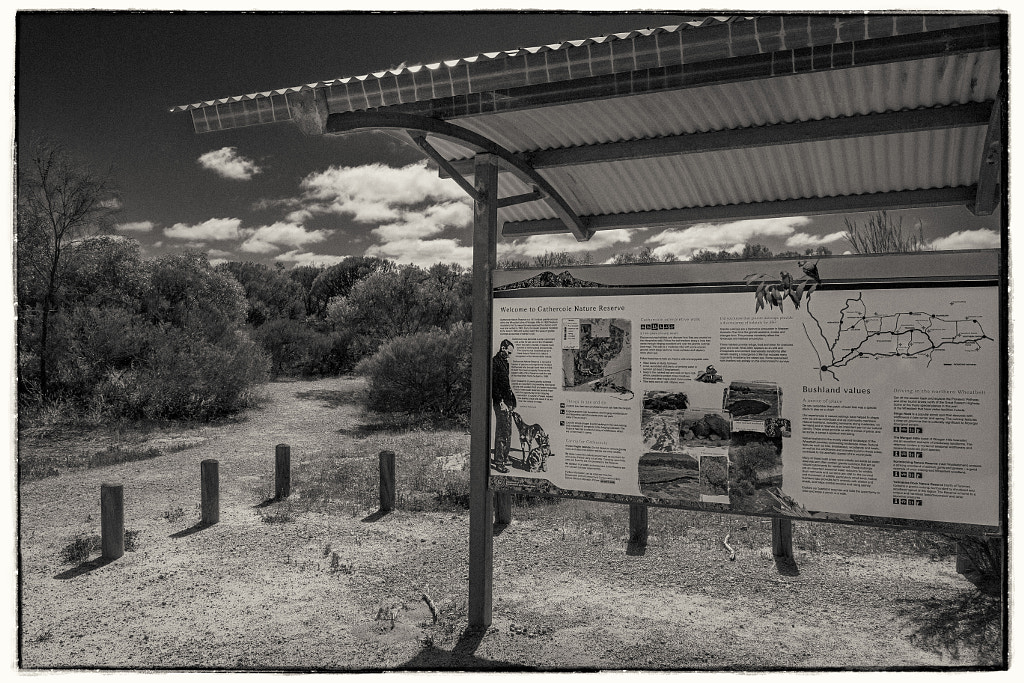
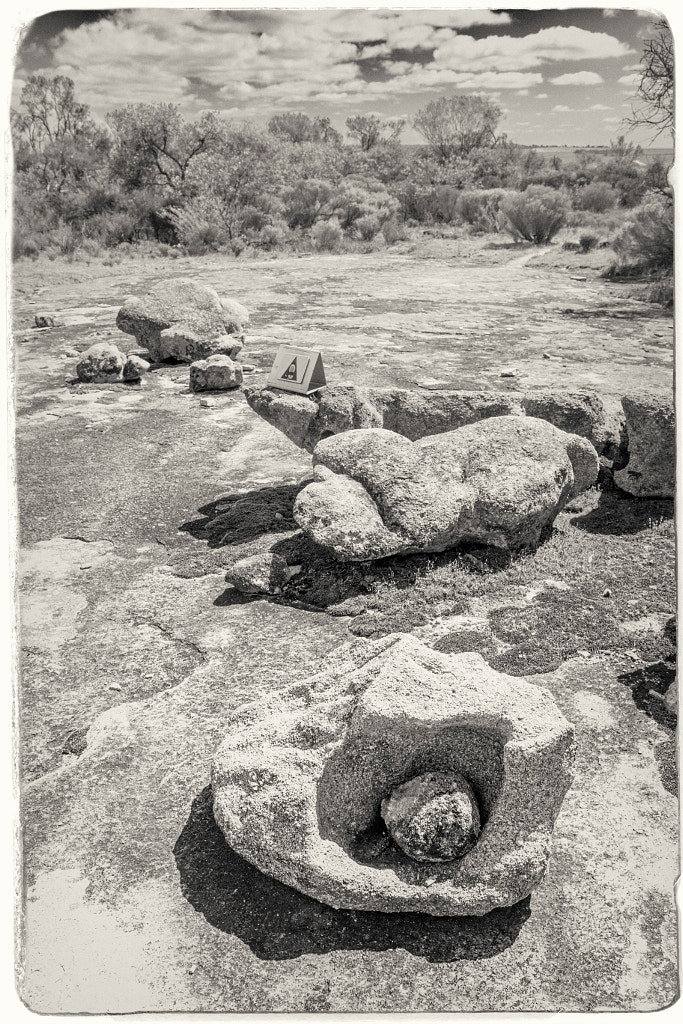
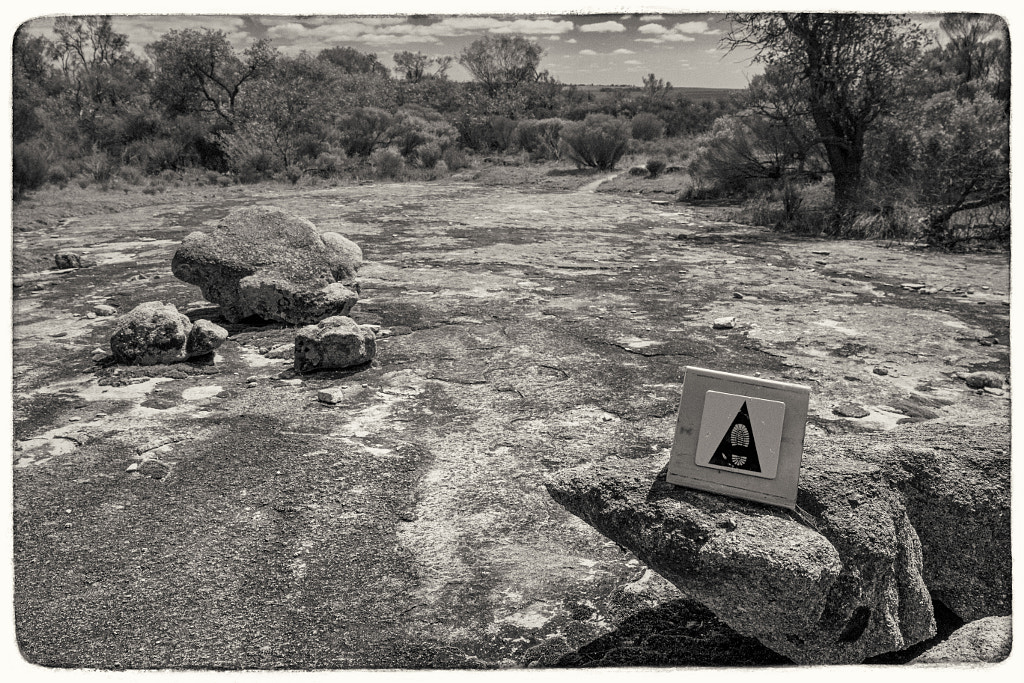
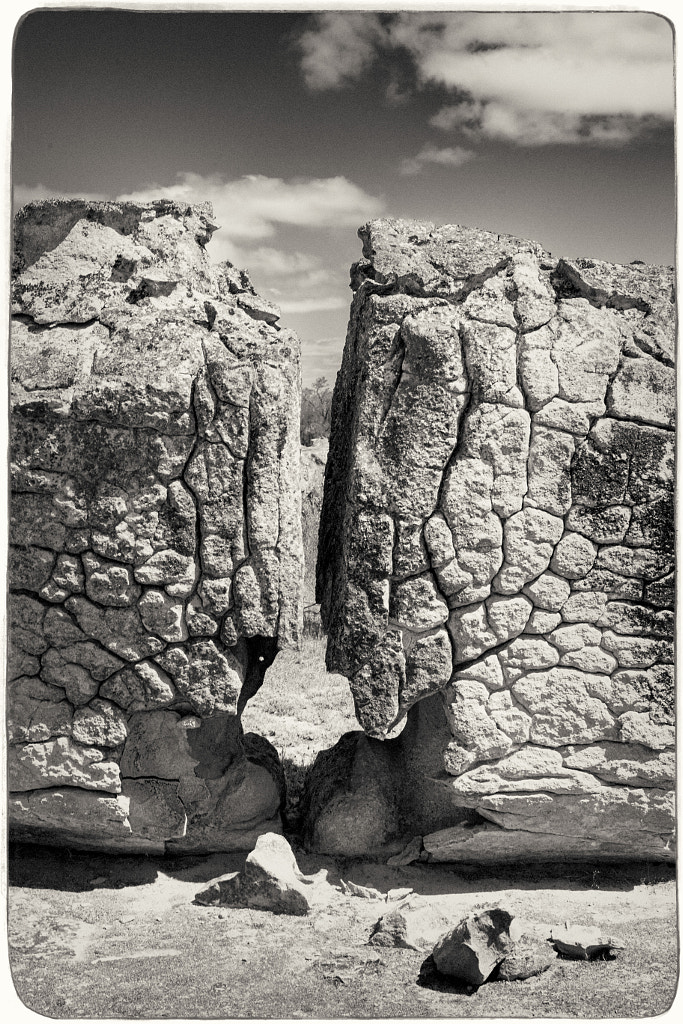
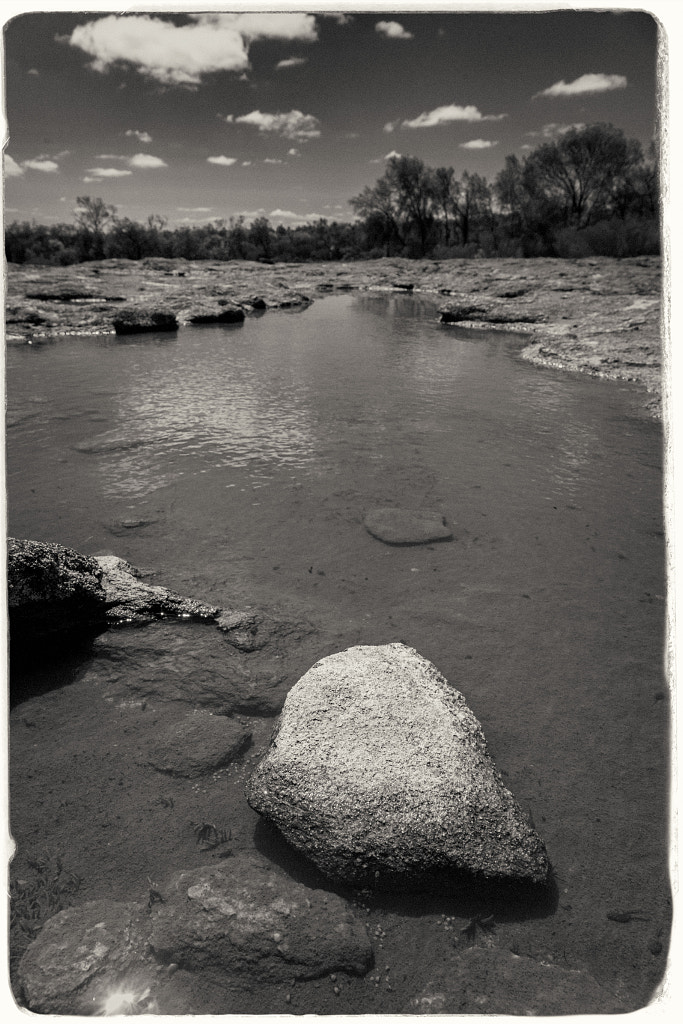
This year our annual visit to the amazing nature hotspot of Wongan Hills took us to the Gathercole Reserve which is a 141 hectare granite out crop 10Km east of the Wongan Hills townsite. At the centre of the reserve is a large granite outcrop, but what makes this one so interesting is that it is unlike most others in Western Australia. Usually granite outcrops are devoid of vegetation but Gathercole has a rich variety of vegetation that forms a fringe around the rock – Rock Sheoak, Silver Princess, Sea-urchin Hakea, Scarlet Honey Myrtle are just a few of the species – and other plants such as Granite Kunzea that have adapted to actually live on the rock outcrop drawing their water and nutrients from the very shallow pockets of soil found in cracks and depressions. It all sounded wonderful, but with this years very dry winter the local flora wasn’t putting on much of a show. We then decided to concentrate on doing the walk trail which is an easy 2 hour walk around the rock. There are 12 interpretive panels on the trail to tell you what you are looking at. These explain how the rock outcrop was formed, how it was shaped by wind and rain, and details of the fauna and flora found there.
The information board at the start of the Gathercole Reserve Walk Trail in Western Australia.
The Gathercole Reserve Walk Trail is a 3.1 km walk throgh the Gathercole Reserve and explores the granite outcrop.
The walk trail is clearly sign posted and it is easy to follow.
As you walk over the granite outcrop you can see different rock formations. This was caused by rapidly cooling molten rock and millenia of exposure to the elements.
On the top of the granite outcrop water collects in the hollows during winter. These pools form the habitat for tadpoles and freshwater shrimp.
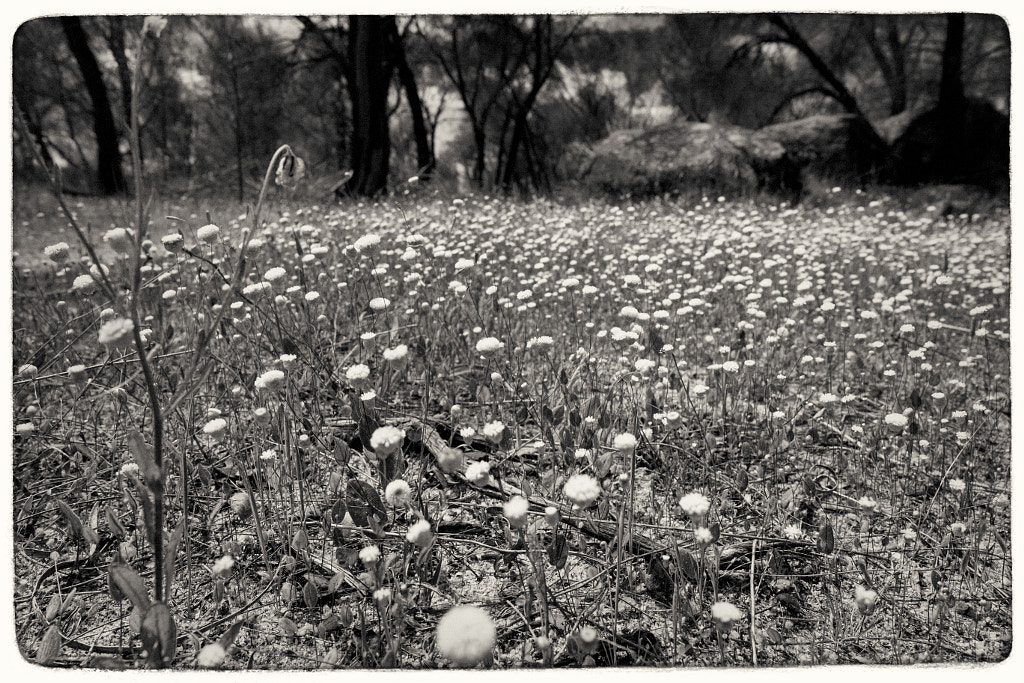
In spring the reserve puts on a spectacular show of wildflowers as evidenced by the everlasting shown here.
Photographically I felt in a bit of a rut so I decided to ditch the normal approach and just take a DSLR and one lens and shoot everything in black and white. Back in the film days I was particularly enamoured by Ilford SFX. It’s a bit of an odd ball film in that due to its extended sensitivity into the red spectrum of light it gave a mild “infrared” look without all the hassles of using infrared film which makes it ideal for day to day use. When I printed it I used glossy Ilford Multigrade FB Warmtone paper which produced a luxuriously rich image. I’ve not shot any film in over a decade and I’ve not had access to a darkroom for nearly twenty years so I decided to shoot digitally and emulate the look in Exposure 7. It doesn’t look quite right but it has made me think about shooting some film again. I’ve still got a couple of film cameras all I’ll need to do is find a way of scanning the negatives as I don’t want to get an enlarger and start printing again at this stage.
This is the second part of a series of articles on upgrading camera equipment on a budget. Parts 1 and 2 can be found here and here.
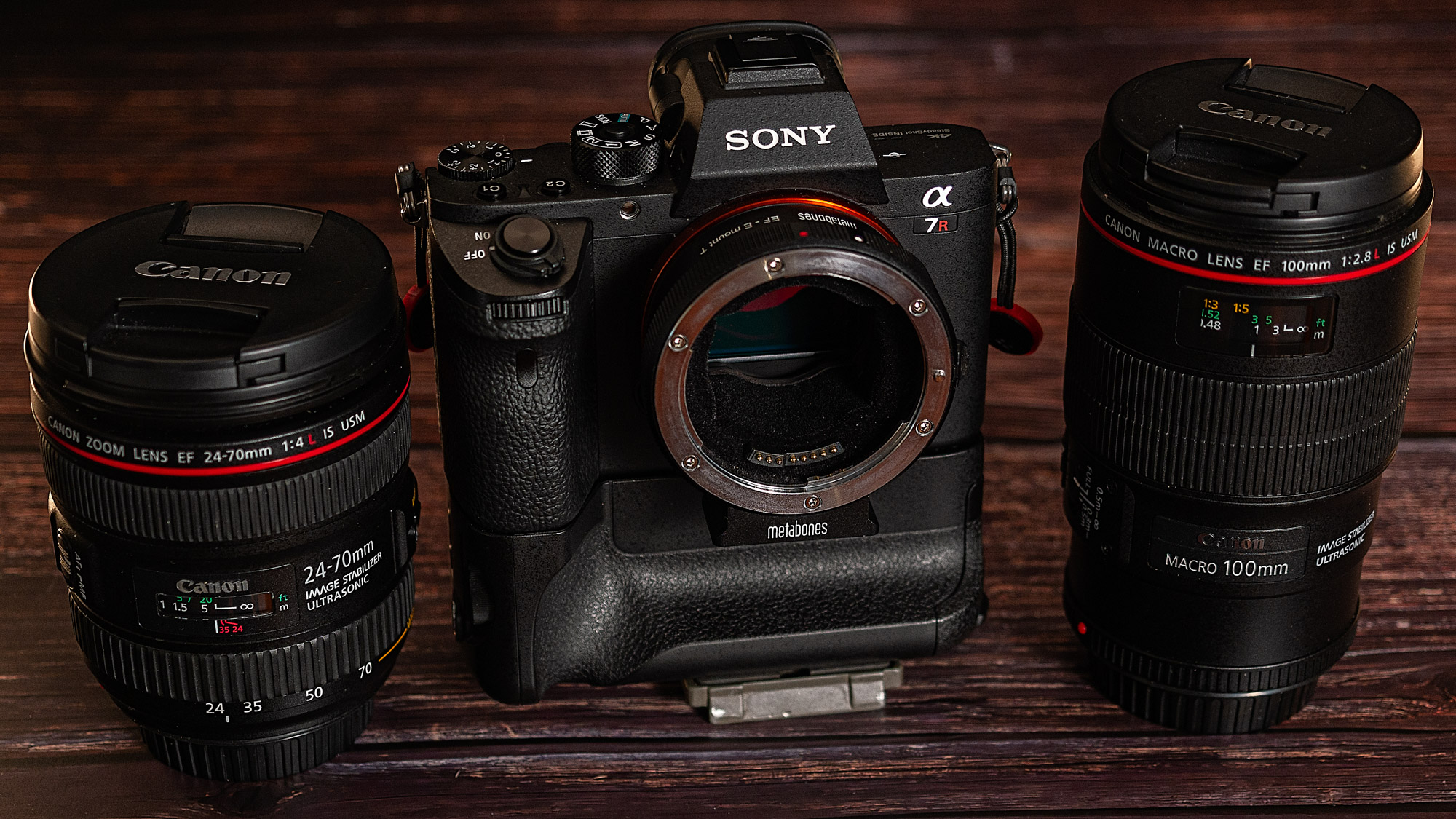
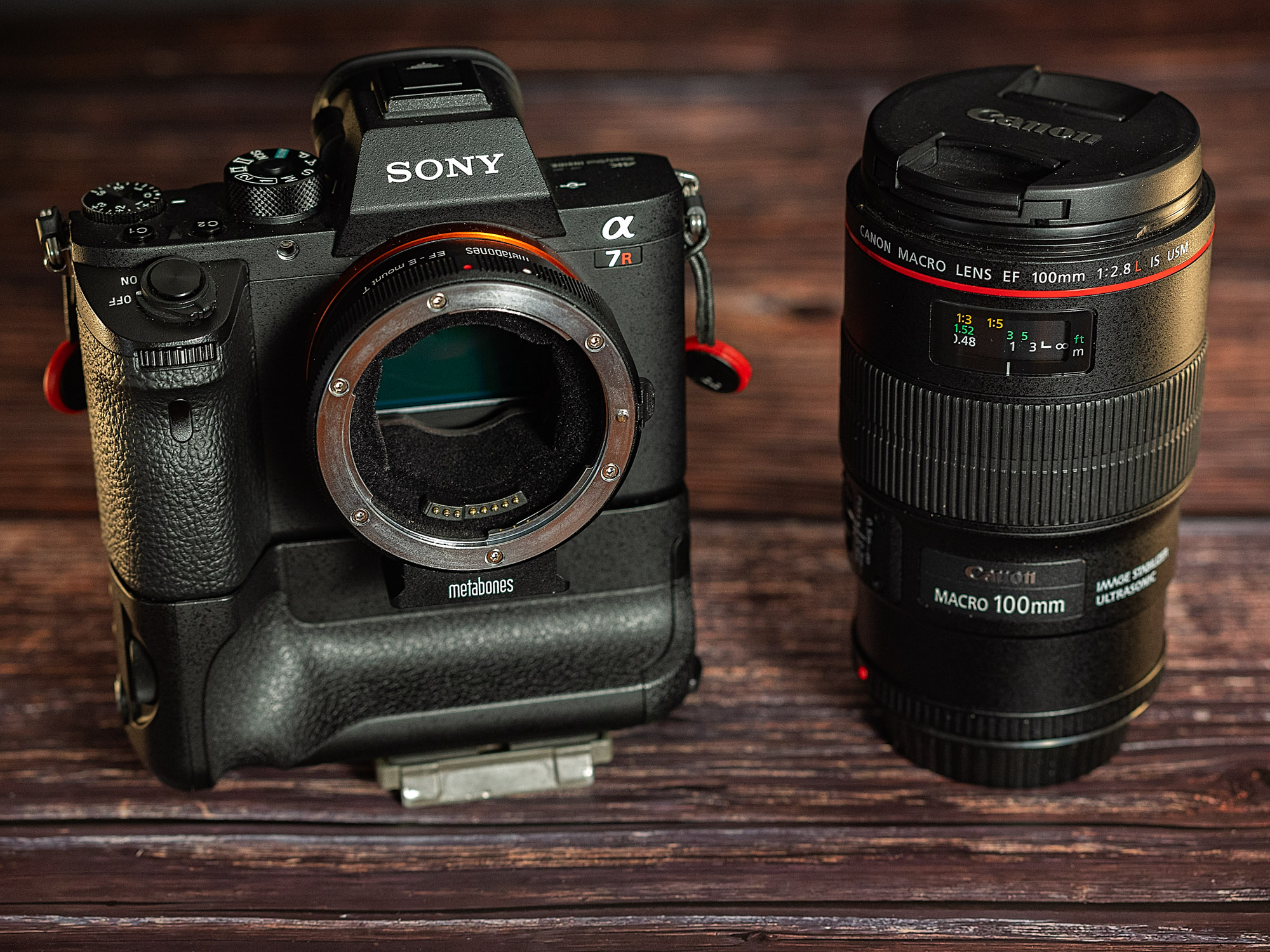
Mount your Canon EF lenses to your Sony A7rii using the Metabones V Smart Adapter.
TLDR
Metabones was an early innovator in terms of lens adapters entering the market in 2013 with the Speed Booster which was an adapter. With a focal range reducer that allowed full frame SLR lenses to be used on smaller format mirrorless cameras at close to the full frame field of view. The first with autofocus capabilities was a Canon EF to Sony E. Metabones themselves described its performance as:
“Autofocus speed is very slow and inadequate for most moving subjects. The autofocus speed is unfit for professional use for sure, and it would disappoint most enthusiasts.”
By 2016 Metabones was able to offer a “Smart Adapter” that allowed Sony users to access all the AF modes when using Canon lenses. The adapter makes the lens behave like a native Sony lens. Sigma had beaten them to the punch with their MC-11, but, that had the caveat of only promising that performance with certain Sigma lenses. The Metabones Smart Adapter V EF to FE is the latest incarnation and this is the model that I’m looking at. This is not a Speed Booster – there are no optical elements in the adapter. It is designed for mounting full frame Canon EF lenses on a Sony Alpha series body. In Australia this retails for a whopping $780 AUD. A lot of money when you consider that outcomes are not guaranteed. Luckily there are plenty on the secondhand market and you can expect to pay around half the retail price.
Mount your Canon EF lenses to your Sony A7rii using the Metabones V Smart Adapter.
Build Quality
The Metabones Smart Adapter V for Canon EF to Sony FE mount comes in a smart hard plastic case. Included are two Allen Keys, one for removing the Arca Swiss tripod mount and the other for carrying out adjustments.
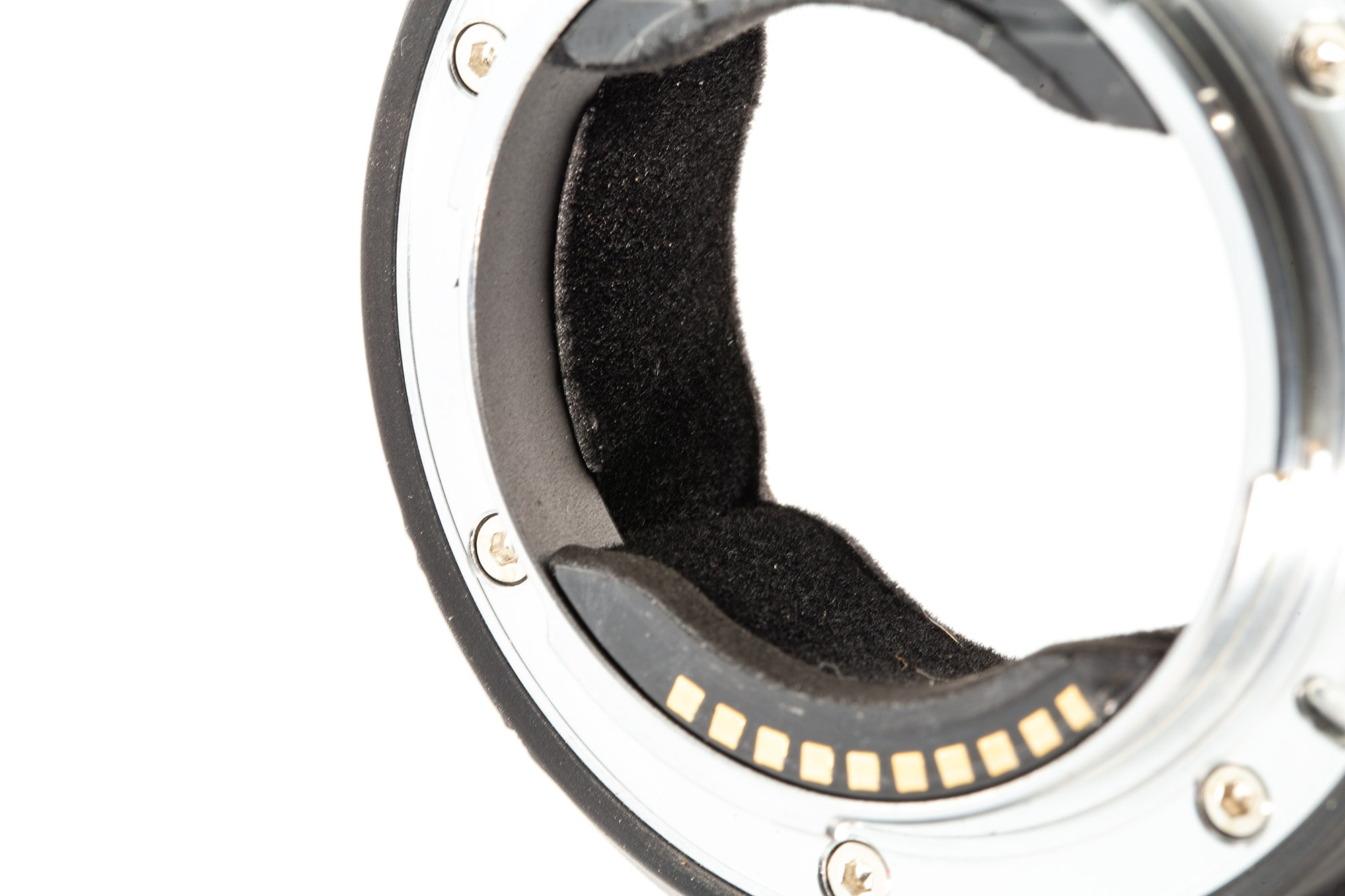
The adapter comes in a nice hard plastic case with two Allen key that are for removing the attached Arca Swiss tripod mount and carrying out adjustments. Picking it up the adapter feels well made with a metal body and both mounts are chromium plated brass for long life. There is a rubber gasket on the Sony mount side to prevent dust and moisture ingress and the adapter is lined with black flocking to prevent internal reflections. On the left hand side of the adapter is the lens release button, a USB port, an IBIS off/on switch and button you can customise its function like the ones found on the Sony G and GM lenses. There are two bad points. First is that the plug for the USB port is not of the flap variety that Sigma use that is attached to the adapter. In the six months I’ve had it the plug no longer fits snuggly and is prone to dropping out which potentially means it could be lost making the adapter susceptible to damage. I’ve taken to taping over it with a bit of gaffer tape but it is not what I would expect from an item costing so much especially when Sigma at half the price have a better approach. Second is the black flock used inside the adapter is a dust and hair magnet and it inevitably finds its way on to the camera sensor. I seem to be forever cleaning the adapter, the sensor and having to spot my photos.
Metabones line the adapter with black flocking to prevent internal reflections.
On the left hand side of the adapter is the lens release button, a USB port, an IBIS off/on switch and a customisable button.
A crucial part of whether the adapter will work is the ability to download and install firmware updates. Sigma enable you to both update the adapter and the lens firmware. With the Metabones you can only update the adapter firmware and this is a bit of a dogs dinner. You download the updater appfor Mac and Windows from their website. This and opening the app is the easy bit. When prompted you connect the adapter to your computer via USB cable. I primarily run a MacBook Pro running OSX Big Sur version 11.6 with Thunderbolt 3 and no matter what adapter for USB A to USB C I used the app would not run. I then tried my 2012 iMac running Mojave thinking the native USB 3 will be the solution. Nope. At the back of the cupboard in my office I found 2009 MacBook running El Capitan and having USB 2 ports. Did this work? Did it heck. The app recognised the adapter and advised that there was a firmware update available but when I went to install it the app just froze. So as a last ditch attempt I pulled out of a box in the shed a Sony Vaio from 2003 running Windows XP. I downloaded the Windows version of the app and it worked! It took an hour to download the update but it got there. This is important because the app just doesn’t up date the adapter firmware but allows you access various functions.
The Smart Adapter V has two modes:
Green Mode or basic mode
Advanced Mode
There is no instruction leaflet with the adapter so you will need to access the support page for it. How these two modes operate will depend upon your Sony camera. As I’m using it on a Sony A7r2 I’ll concentrate on that.
Green Mode
Auto focus – uses phase detection autofocus and is compatible with, according to Metabones, “virtually all AF lenses” but there is no eye-AF, poor video AF which is contrast-detect and requires half-pressing shutter release button to activate if at all, doesn’t work well with telephoto lenses and requires good light and high contrast to work. Most of the Sony native AF functions are not available. The lens only stops down when you press the shutter button. On the plus side it has low power consumption.
Advanced Mode
The autofocus uses a hybrid of contrast based and phase detect autofocus which makes it fast and accurate. It is not compatible with as many lenses as green mode. Eye-AF is supported. In video you get continuous phase detect AF. The AF works better with long lenses. The aperture stops down as you turn the aperture dial on the camera causing a lot of clicking noise and higher power consumption.
To tell which mode your adapter is in there is a small LED on the top. For Green Mode the LED shines blue and for Advanced Mode it is red. In an ideal world you’d want to be able to switch back and forth between modes. There are two ways of doing this. The first is via the Metabones App which as we’ve already found out is less than ideal. The second can be done in the field and it involves pushing buttons mounting the lens switching on and off etc. It is fiddly. Don’t try to follow the instructions just watch the YouTube video by Alex & Nadia Fediakov. After a short while of using Green Mode and not having a lot of success I just switched to Advanced mode and have left it there ever since.
Performance
I’ve used the adapter with 3 lenses:-
Canon EF 24-70mm f4 IS L
Canon EF 70-200mm f2.8 IS L mk i
Canon EF 100mm f2.8 macro IS L
Besides running tests I also used the camera and lenses in my normal day to day photography – nature, landscapes, events and grip and grin. Right from the beginning I’ll say what you get and don’t get in general terms and then go on to describe how things went with each lens.
There is no correction for vignetting or colour fringing. You have to manually select lens profiles in your editing program of choice.
The adapter enables EXIF data recording for focal length, aperture and make and model ID.
The adapter has no optics so there is no effect on lens performance. Any possible degradation in optical performance will come from the fact that Canon lenses are designed to work with the sensor stack of Canon cameras not Sony. With the three lenses I used there was no problem.
The auto focus generally works very well allowing access to all the AF modes on the camera. However, how well is specific to the lens. Focal length and the motor technology in the lens play a part in how well the adapter works.
Using the adapter in Green Mode in body image stabilisation is favoured while in Advance Mode both IBIS and optical image stabilisation are used.
In Green Mode the power consumption is low. In the Advanced Mode because the lens aperture is constantly opening and closing and both forms of image stabilisation are used the power consumption is high.
Tests
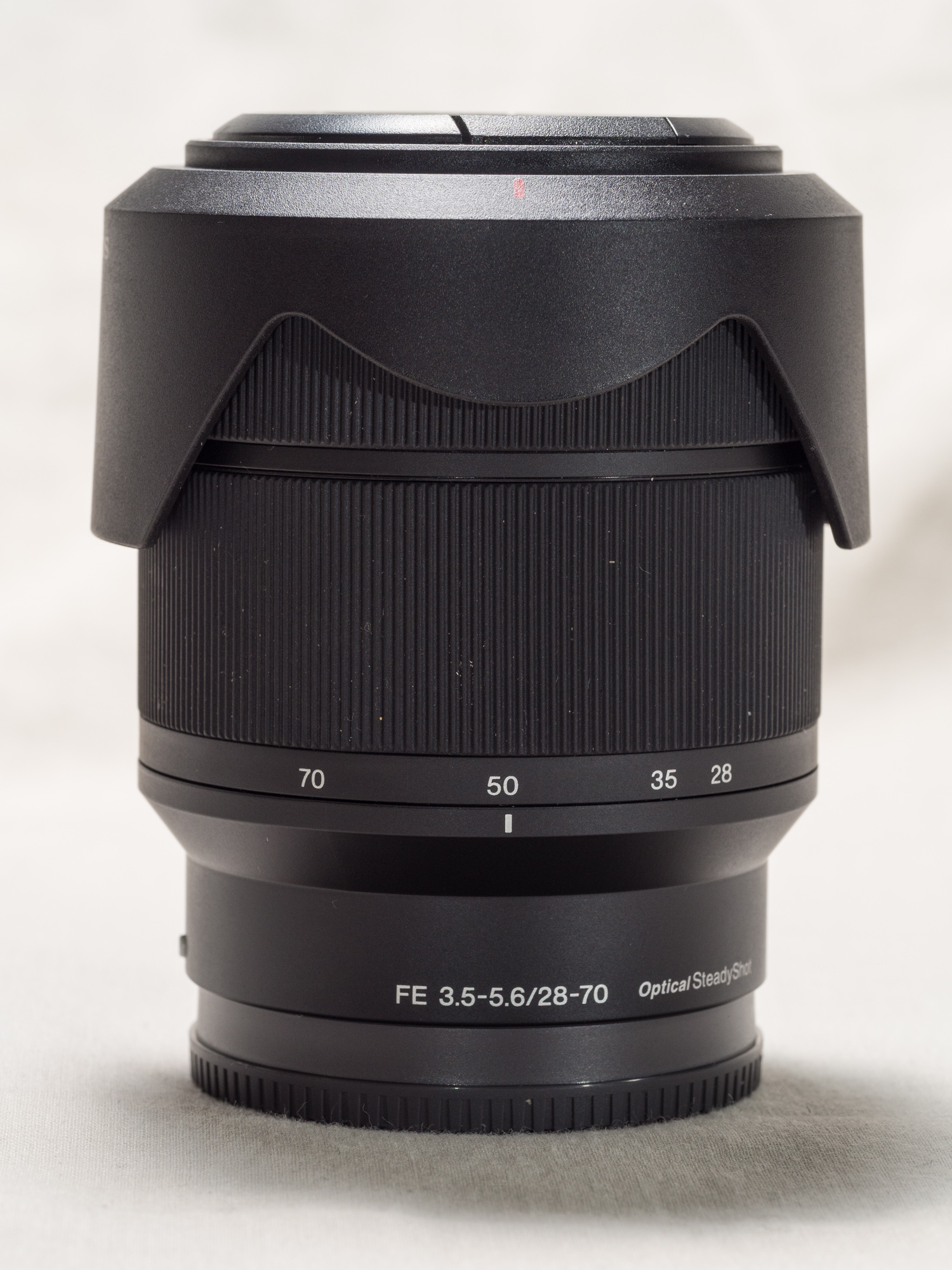
The Sony 28-70mm f3.5-5.6 OSS was introduced in in 2013 as the budget kit zoom to accompany the Sony A7 mirrorless camera.
The reluctant running bull terrier test with the Sony A7r2 andSony FE 28-70mm f/3.5-5.6 OSS lens.
To help me get some sense of what I was seeing I needed a point of reference and for that I used the Sony FE 28-70mm F3.5-5.6 OSS kit lens which can be picked up second hand for about $200 AUD. I wasn’t looking at optical quality but autofocus performance. Each of the Canon lenses had to equal or better the AF performance of that cheap kit lit lens. When shooting sequence of a moving subject (my reluctant Bull Terrier Frida) the Sony 28-70 was achieving a 90% hit rate which I thought was impressive.
Canon EF 24-70mm f4 IS L lens
The Canon 24-70mm f4 IS L mounted to a Sony A7r2 via a Metabones V Smart Adapter.
My initial tests were very disappointing. Using single point continuous AF with a burst of 5 frames none of the shots were in focus. So I changed the settings to lock on flexible spot with continuous AF and got a hit rate of 50%.Shooting video things were more promising. The autofocus was quick and positive and tracked well, but it didn’t do as well as the Sony 28-70.
Canon EF70-200mm f2.8 IS L lens
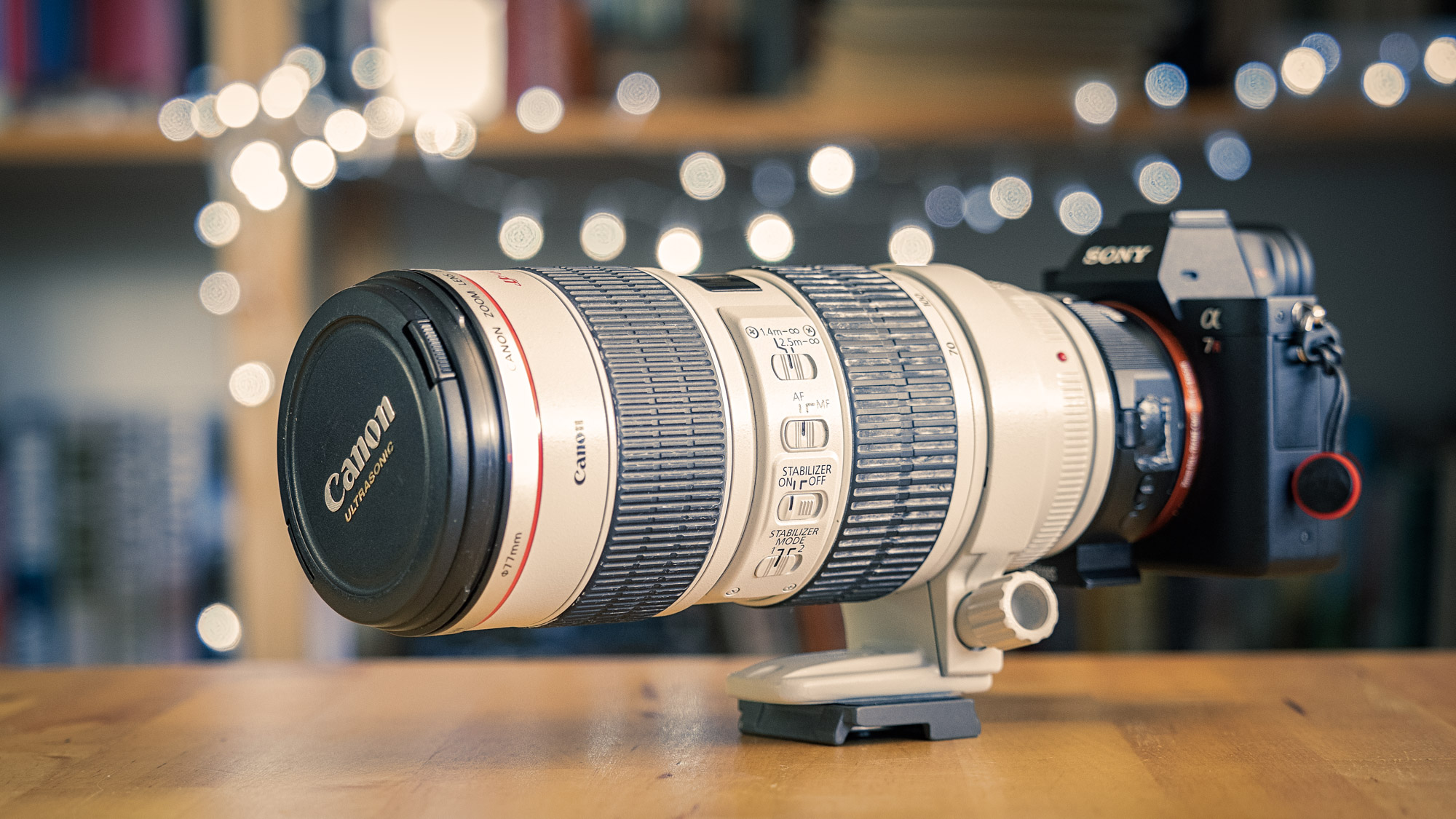
The Canon EF 70-200mm f2.8 IS L lens mounted to a Sony A7r2 via a Metabones V Smart Adapter.
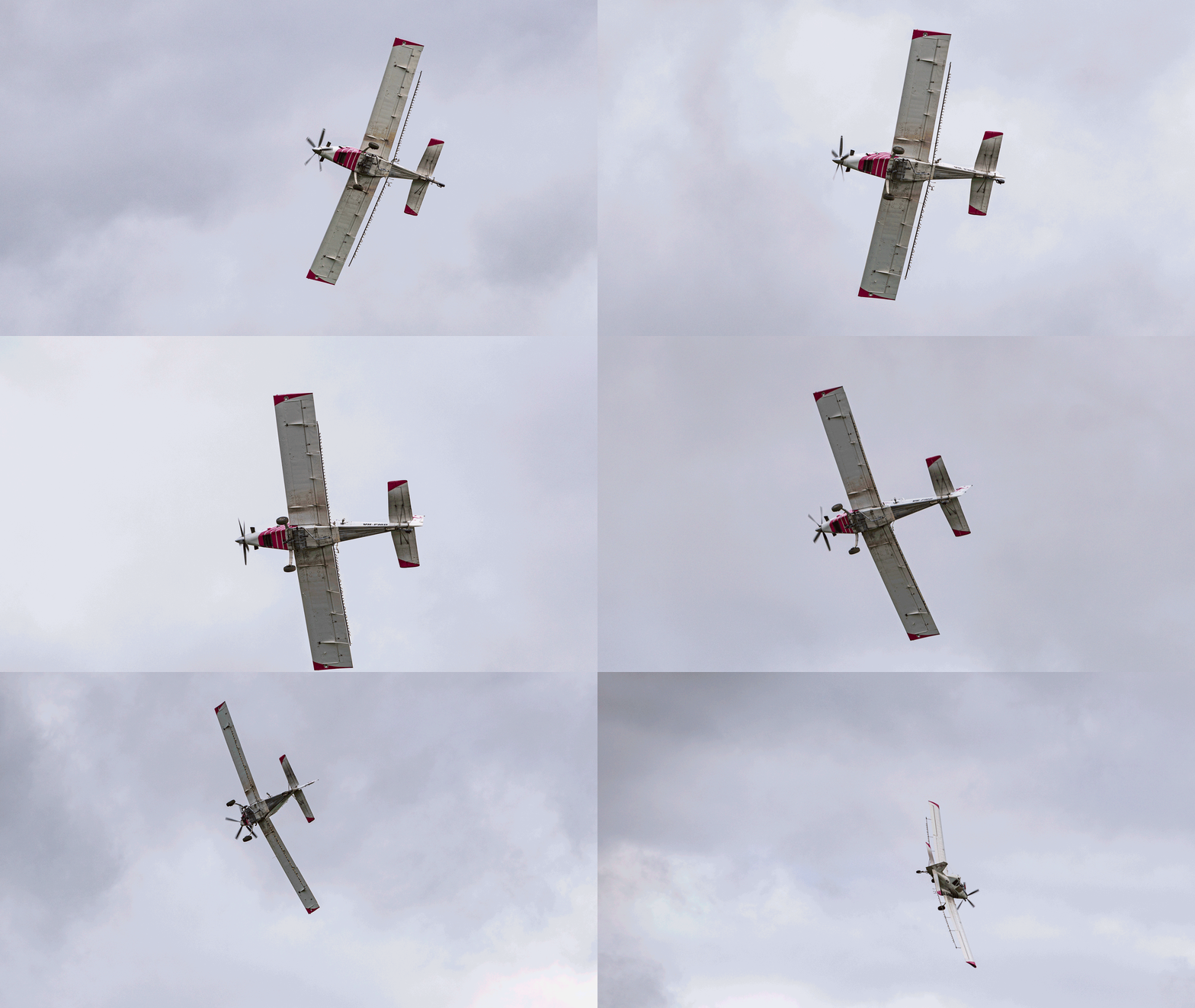
This lens did not work well in expanded flexible spot with continuous autofocus. Typically the lens racked back and forth, then would settle on the subject for a couple of seconds and then drift off out of focus. Switching to other focus modes was a very different story with the lens quick to acquire focus. I abandoned the bull terrier test in favour of a plane doing some crop dusting. Out of 5 runs I got 3 with a 100% hit rate, one with 92% and one of 61%. This averaged out at 90%.The video performance was woeful. At the short end wide open the lens was very slow to acquire focus and when tracking it would loose the subject and be painful slow to reacquire. At the long end wide open it was incredibly slow – glaciers move faster and the AF motor made a lot of noise while the lens racked back and forth.
Canon 100mm f2.8 macro IS L lens
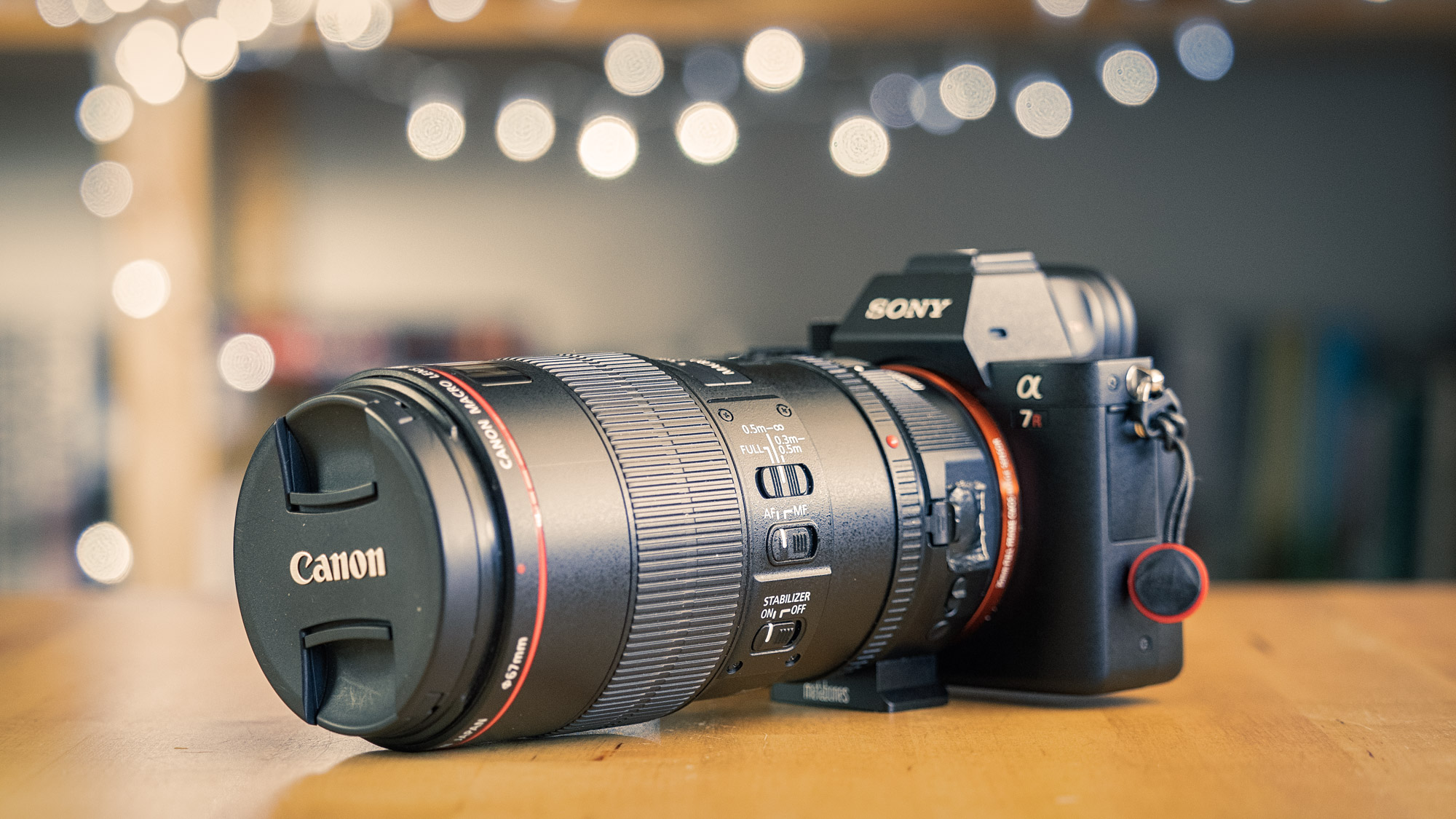
The Canon EF 100mm f2.8 macro IS L lens mounted to a Sony A7r2 via a Metabones V Smart Adapter.
I didn’t test this lens with moving subjects as macro lens are notoriously slow to autofocus at the best of times. The lens was slow to focus in single AF mode both at macro distance and normal distances. At normal focus ranges despite being slow it was very accurate. At macro distances it would often get confused and I found that this would increase in low light or with subjects that had low contrast. For most people macro photography isn’t a fast moving high pressure scenario so this wouldn’t be really a problem. What was a disappointment was that the OIS didn’t combine with the IBIS and I had to use OIS only.
White Spider Orchid, Caladenia longicauda subsp longicauda, Wambyn, Western Australia. Sony A7r2 with Canon EF 100mm f2.8 IS lens mounted via the Metabones V Smart Adapter.
Real World Usage
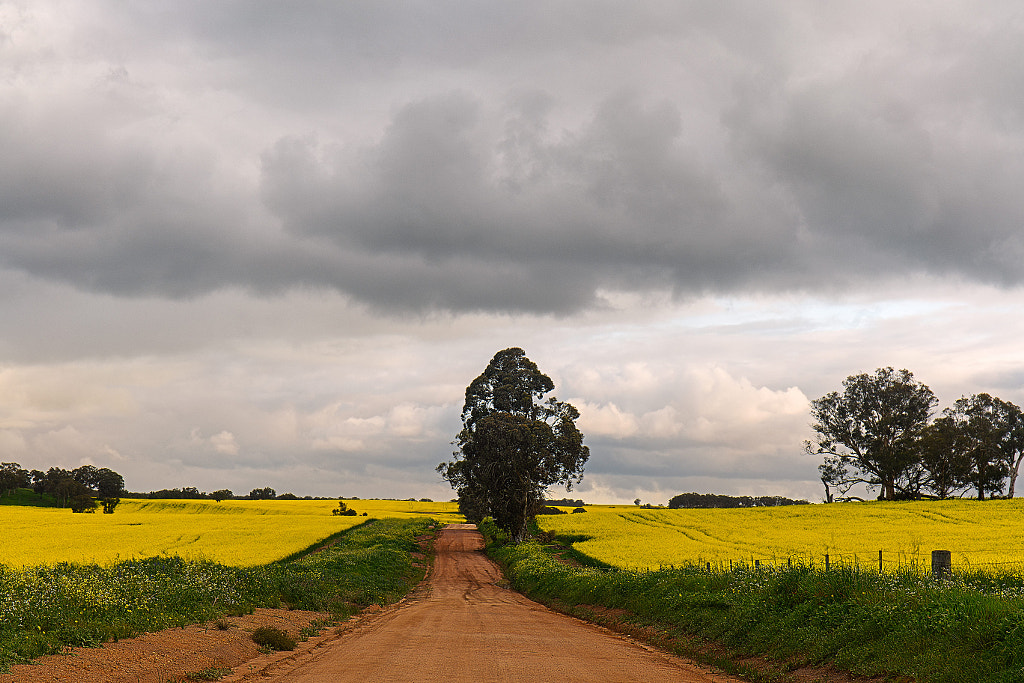
Canola fields flanking Helena Road. York, Western Australia. Sony A7r2 with the Canon EF 24-70mm f4 IS L lens.
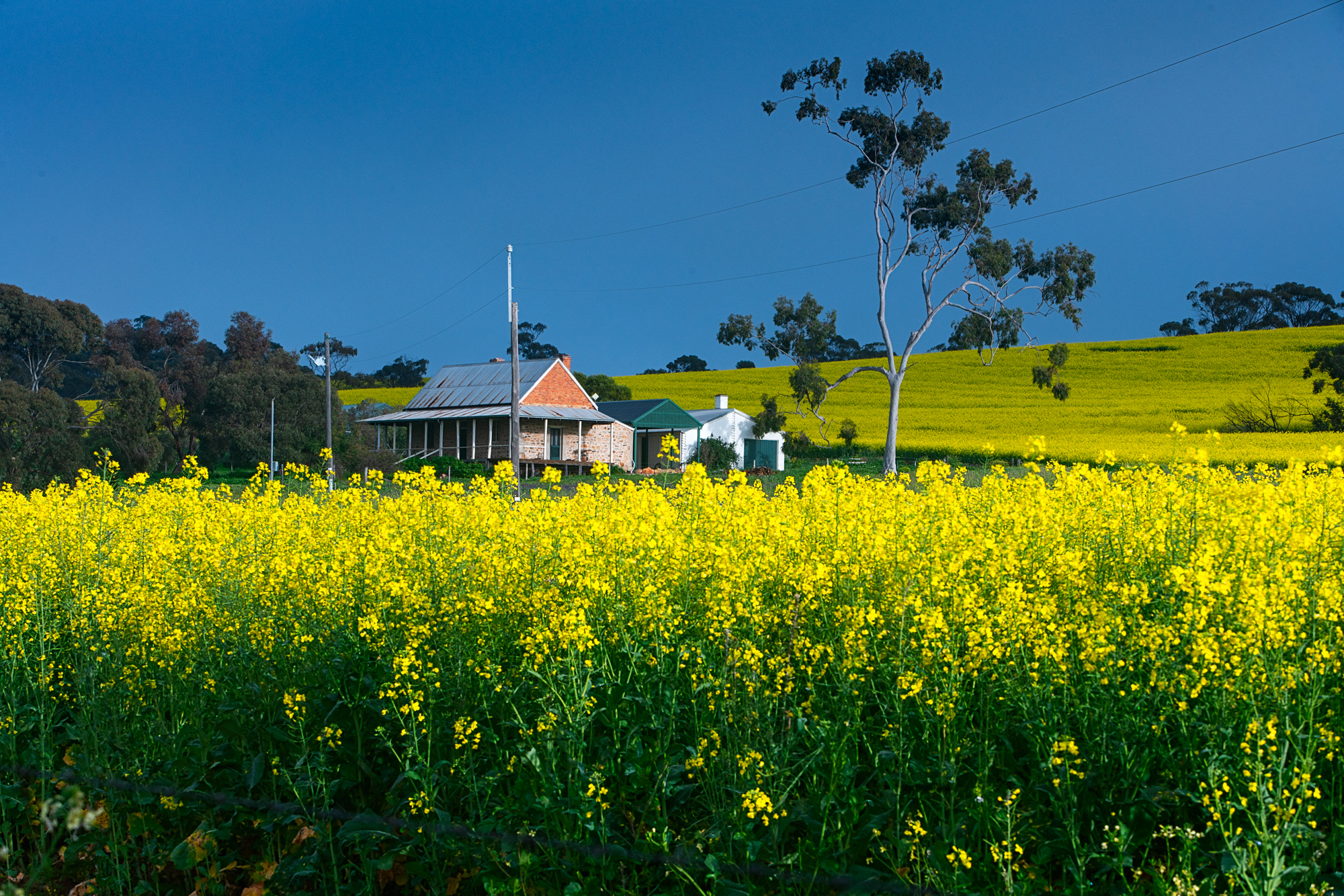
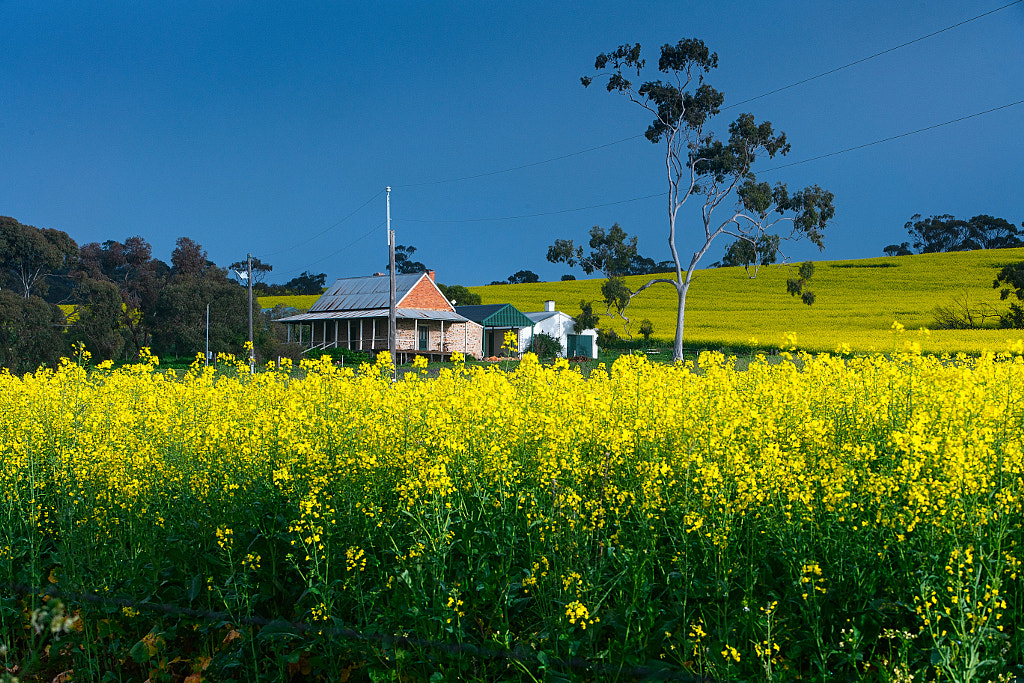
A farmhouse surrounded by canola in York, Western Australia. Sony A7r2 with Canon EF 70-200 f2.8 IS L lens.
Mounted Archery demonstration at the York Medieval Fair. Sony A7r2 with Canon EF 70-200mm f2.8 IS L lens.
Enough for the tests let’s look at real world usage. For landscape and macro work all the lenses did OK in real world usage. But for events and grip and grin work it was not all beer and skittles. The event I photographed was a medieval fair and I used both the 24-70 and the 70-200. The 70-200 did rather well with photographing mounted archers and taking candid portraits. Excellent stuff. The 24-70 didn’t do so well. I photographed a display of medieval combat and only 1 in 5 were in focus. These guys weren’tmoving fast they were just erratic and the tracking just could n’t cope. With static subjects everything was fine. I photographed an awards ceremony with the A7r ii and the 24-70. This sort of work is quick paced but straightforward photographically. I shot 220 frames with roughly a third out of focus, one third in focus but not critically sharp and the remainder were critically in focus.The experience was the AF wasn’t snappy but laboured and ponderous. Halfway through I was wishing that I’d had my micro four thirds system or my Canon DSLRs.
York Medieval Fair. Sony A7r2 with Canon EF 70-200mm f2.8 IS L lens.
York Medieval Fair. Sony A7r2 with Canon EF 24-70mm f4 IS L lens.
Conclusion
In conclusion my experience with the Metabones Smart Adapter V was quite a mixed bag. The lens that I thought would do very well, the EF 24-70 f4, didn’t do very well at all.The lens I really wanted to work but thought wouldn’t do well because of its age was the 70-200mm f2.8 and it did surprisingly well. The 100mm macro did as I thought it would.
The Sony A7rii with the Metabones V Smart Adapter and the Canon 100mm f2.8 IS L lens.
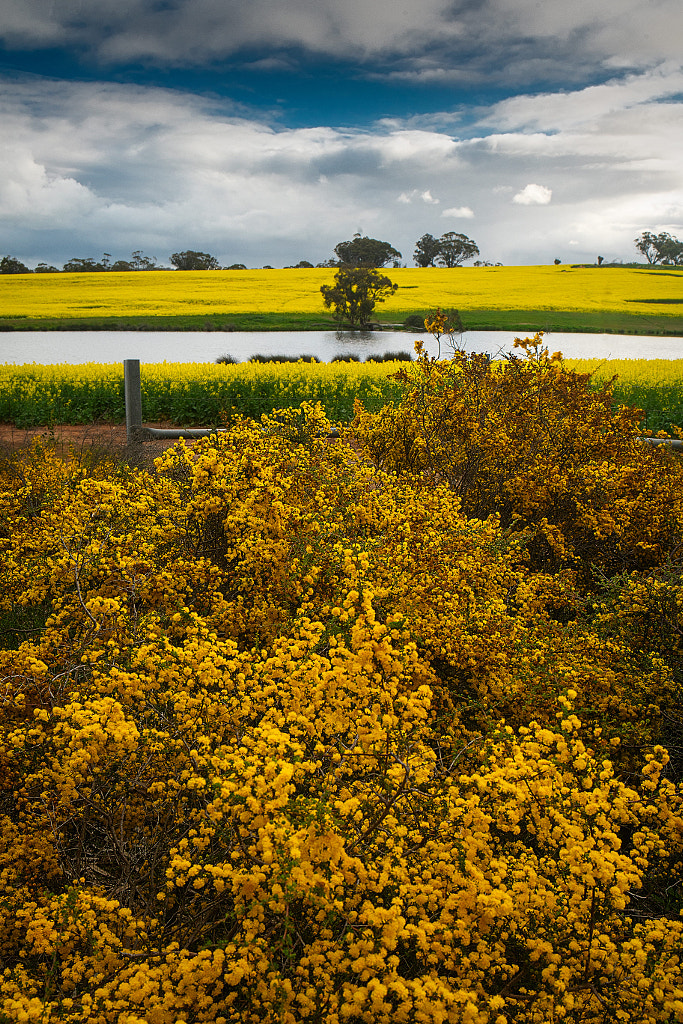
No this isn’t a new trilogy of mummy porn it’s because everything round here has turned a shade of yellow. Mostly that acid yellow that is canola, but the wattles give a nice counter point.
Canola fields flanking Helena Road. York, Western Australia. Sony A7 r ii, Metaboned V smart adapter, Canon EF 24-70mm f4 L lens. Exposure: 1/20 sec, f11, at ISO 100.
A farmhouse surrounded by canola in York, Western Australia. Sony A7 r ii, Metabones V Smart Adapter, Canon EF 70-200mm f2.8 IS L lens. Exposure: 1/60 sec, f16 at ISO 320.
Yellow wattle and yellow canola fields. York, Western Australia. Sony A7 r ii, Metabones V Smart Adapter, Canon EF 24-70mm f4 IS L lens. Exposure: 1/30 sec, f16, ISO 500
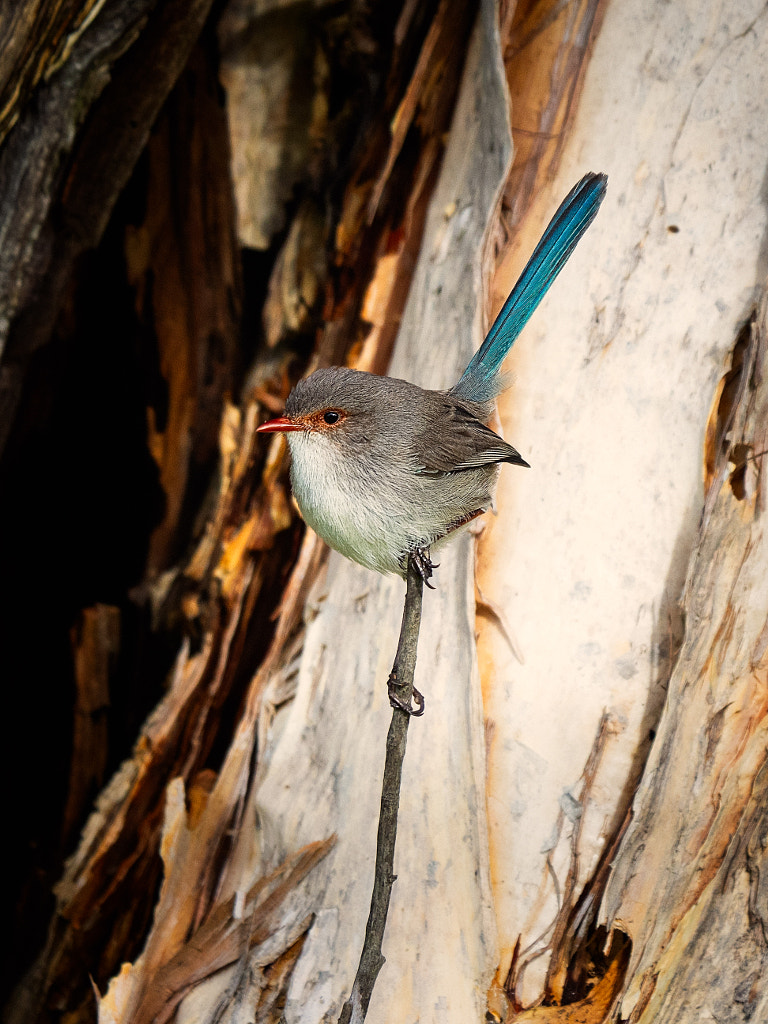
A gratuitous wren shot as wrens make everything better.
A bird on a stick – more specifically a female Splendid Fairy-wren, Malurus splendens subsp splendens. Whiteman Park, Western Australia. Olympus OMD EM1 mk ii with Panasonic Leica 100-400mm f4-6.3 lens. Exposure: 1/500 sec, f6.3 at ISO 320.
It has rained and rained here. I know not as much as in Germany, China or India, but it has rained a lot for here.It feels like I should be starting a DIY project – Ark building for dummies. Nah! I’ll skip that as I flunked woodwork at school. The Avon River burst its banks which drew lots of people in wanting to take photos of it. I even took a few myself.
The Avon River burst its banks in the recent rains. This park bench is normally a good 10m from the water. Sony A7 r ii with Canon EF 24-70mm f4 lens. Exposure: 1/80 sec, f8, at ISO 100.
The dog exercise area is now an aquatic park. Sony A7 r ii with Canon EF 24-70mm f4 lens. Exposure: 1/40 sec, f8 at ISO 125.
Despite all the wetness I’ve managed to grab a few sunny moments and head off to the local reserves. They are saying that all this rainfall is going to produce an amazing abundance of wildflowers this year. From what I’ve seen it looks to be true for our local reserves. Hopefully we’ll see some varieties come up that haven’t been seen for a few years – I’m looking at you Eastern Curlylocks.
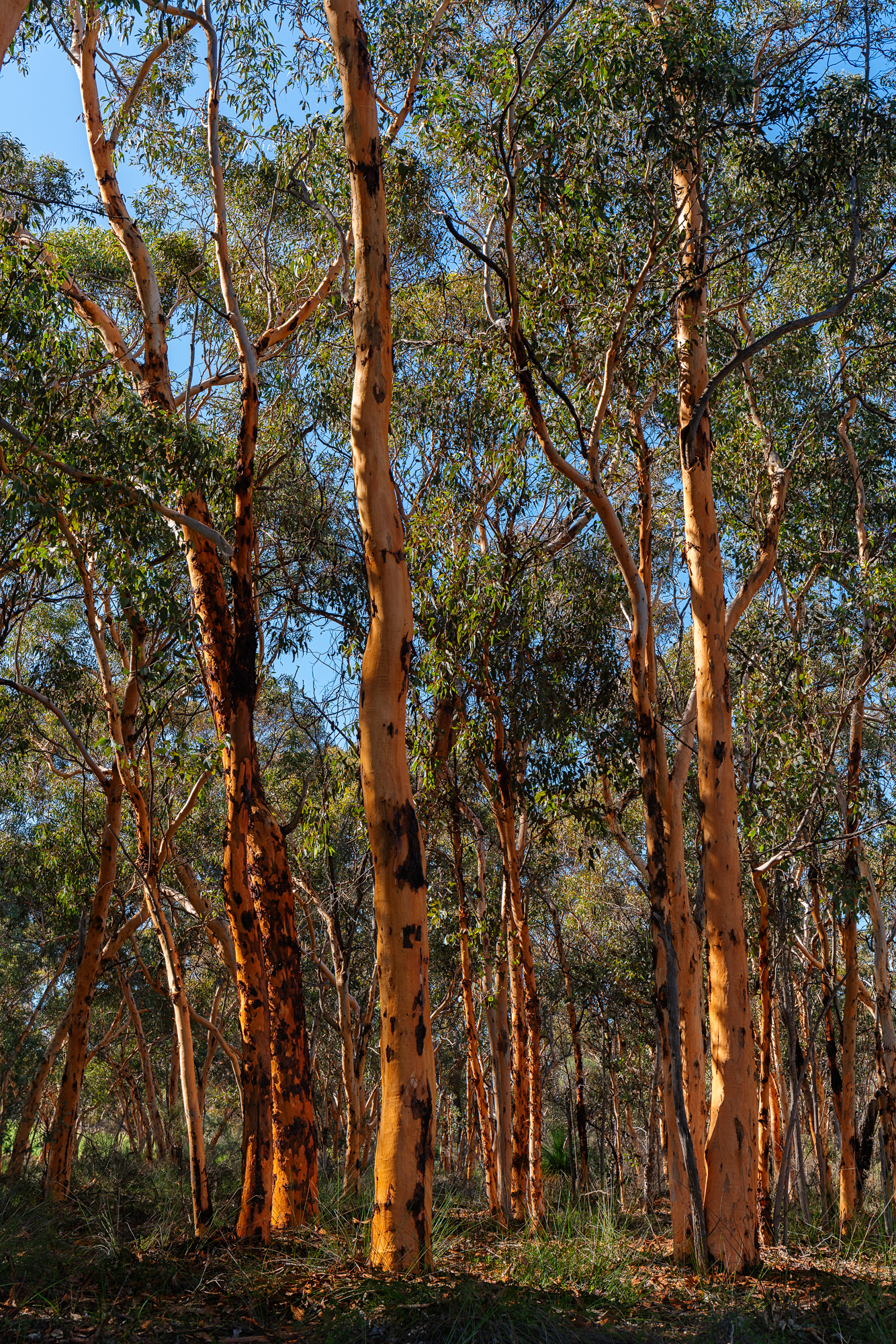
The wandoo woodland that makes up St Ronan’s Nature Reserve.
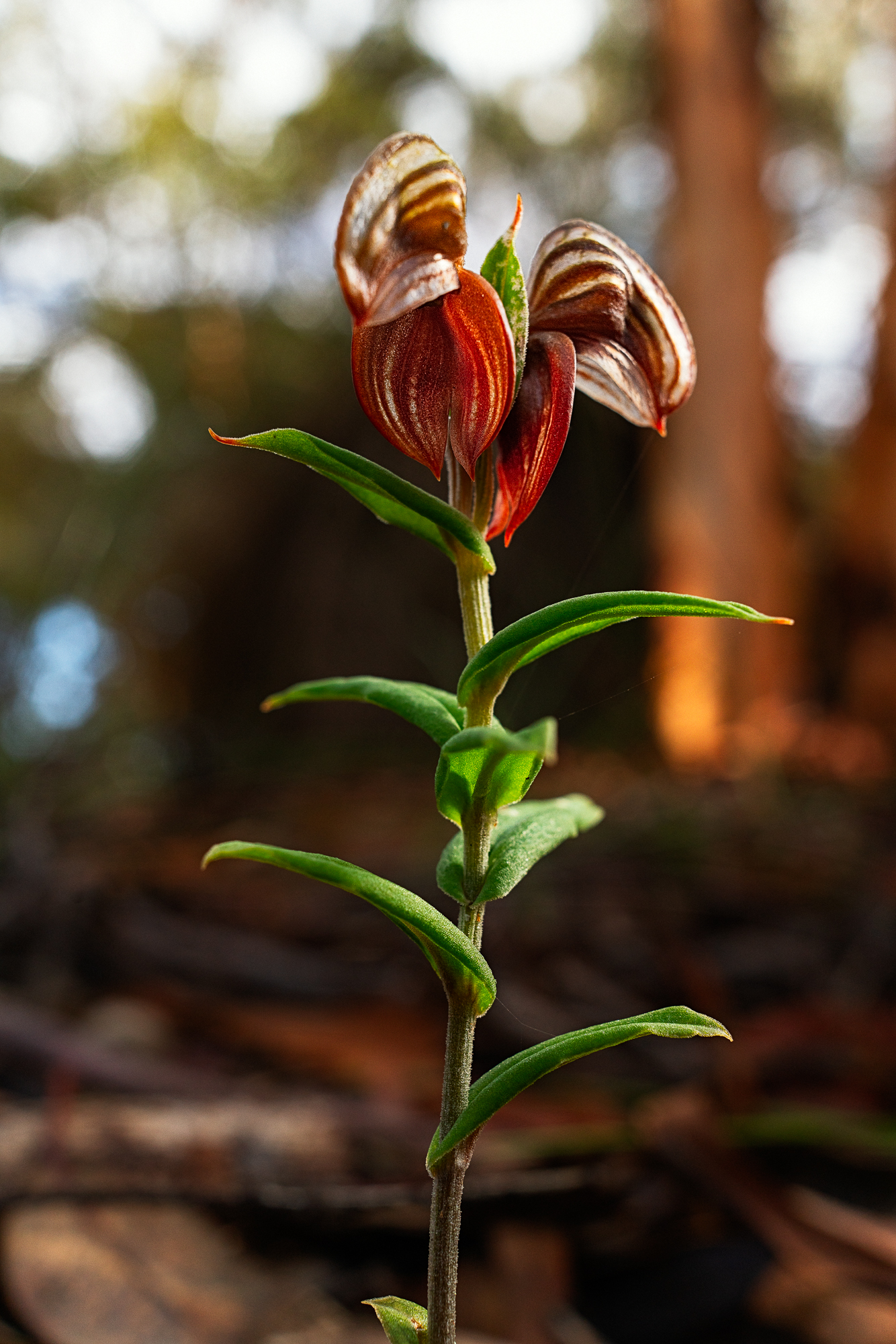
This dark banded greenhood is one of the many orchid species that can be found in the understory.
The last couple of days have been fine and tomorrow we head off to the Stirling Ranges where the weather forecast is rain for the whole time we’ll be there. I suppose I should be used to it now. Thank goodness for Goretex and the weather proofing on my Olympus camera.
This post came about as a response to post on a Google+ group I belong to. The post contained a link to an article at the website Olympus Passion by Chris Corradino (whom I don’t know) called “Full Frame vs Micro 4-3 Revisited with Pro Olympus Lens” where a canon EOS 6d with 17-40mm f4 L lens was compared with an Olympus OMD EM10 with 12-40mm f2.8 Pro lens. Nothing wrong with that, it serves as a potentially useful comparison of two popular cameras and lenses. In the article he posts two pictures of the same scene taken around a year apart, one used a polarizing filter one didn’t and the Canon 17-40L is not the best lens in the line up, and comparing a wide-angle zoom to a standard zoom doesn’t really tell anything. Also Olympus uses in camera software correction of its lenses to the RAW files whereas the Canon doesn’t and one has to manually apply correction when processing in Lightroom or ACR. So I thought about it and decided to do my own test. Now before I start I’d like to say that testing zoom lenses is fraught with difficulty and the reason why is very ably demonstrated by Roger Cicala’s excellent article “Painting Zoom Lenses with a Broad Brush – Roger’s Law of Wide Zoom Relativity” which is enough to make any sane person throw up their hands in horror at the enormity of it all.
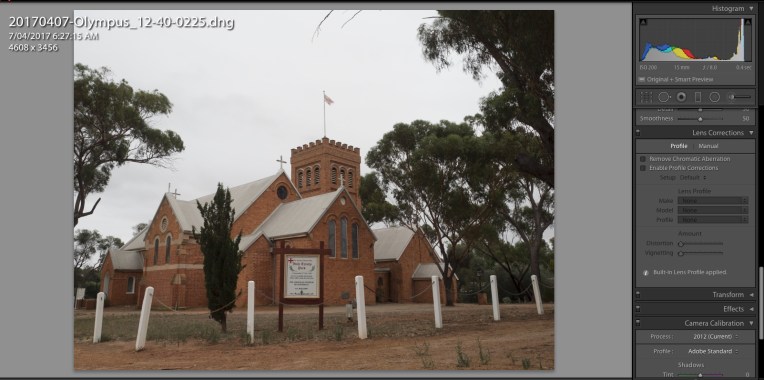
The file from the EM1 with the Olympus 12-40mm f2.8 opened in Lightroom.
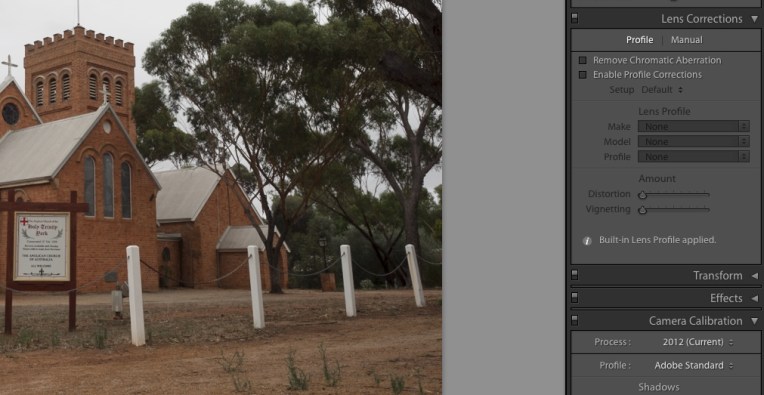
If we look at the lens correction box it shows that a built in lens profile has been applied.
I’m not really the scientific type, but I know that to make any form of comparison you have to compare like with like and remove all variables. The cameras and lenses tested were as follows:
Olympus OMD EM1 mki with Olympus m.Zuiko 12-40mm f2.8 pro
Canon EOS6d with Canon EF 24-70mm f4 IS L
Sony A7r with Sony FE 28-70 f3.5-5.6 OSS
Why three cameras and three lenses, well mainly a case of why not, but also I wanted to see how a budget kit lens performed against the two “pro” lenses, and I was using it as a control as I had previously looked at it. Each lens was shot at the wide end and the long end, with the wide end an architectural shot to look at how the lens behaved at infinity and close-ups at the long end.
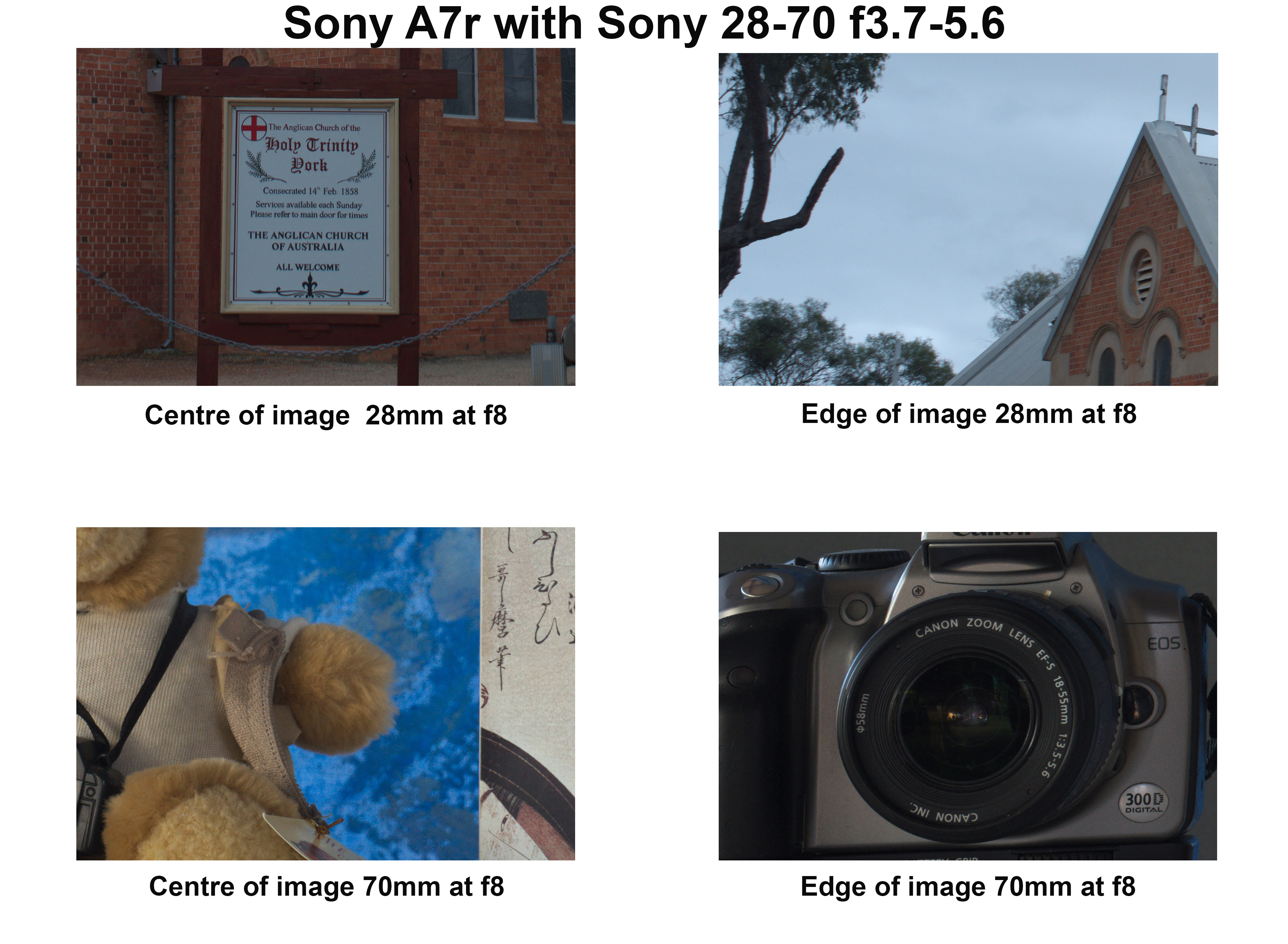
Holy Trinity York provided the wide-angle subject.
Typically standard zooms behave best at the wide end and the performance deteriorates as you zoom into the long end. All the lenses were tested at an aperture of f8 for the two shots previously mentioned and wide open to test for vignetting. For each shot the camera was mounted to a tripod, there were no filters on the lenses, any image stabilisation was turned off and the shutter was tripped via the self timer. All metering was done using a handheld incident light meter – Minolta Auto Meter V f. Because the base ISO of the EM1 is 200 all the images on all cameras were shot at value. The only DSLR in the group was used in live view mode to avoid mirror slap. The images were all shot as RAW files and then converted to 8 bit jpgs using RawTherapee (version 4.2.1) which allows you to switch off any embedded lens correction. There was no sharpening, noise reduction or correction for chromatic aberration. Ok that’s the methodology lets look at what happened. Click on the images to see them at full size.
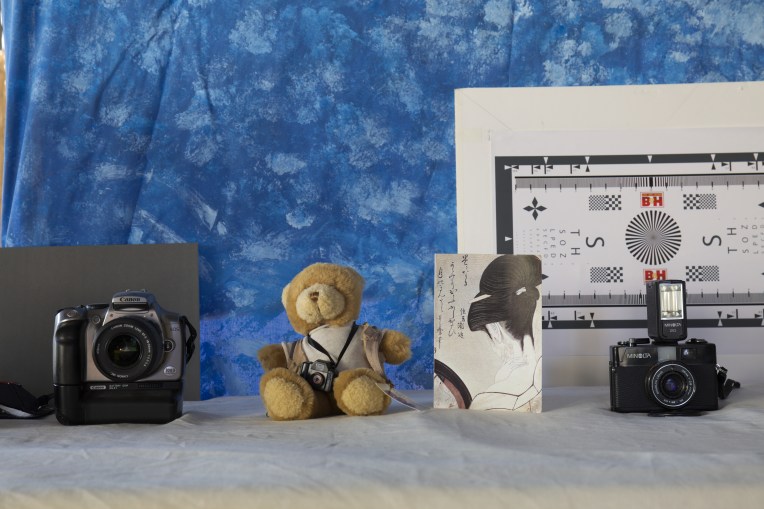
Phillip the photographic bear provided the tele test subject
Olympus OMD EM1 mki with Olympus m.Zuiko 12-40mm f2.8 Pro lens
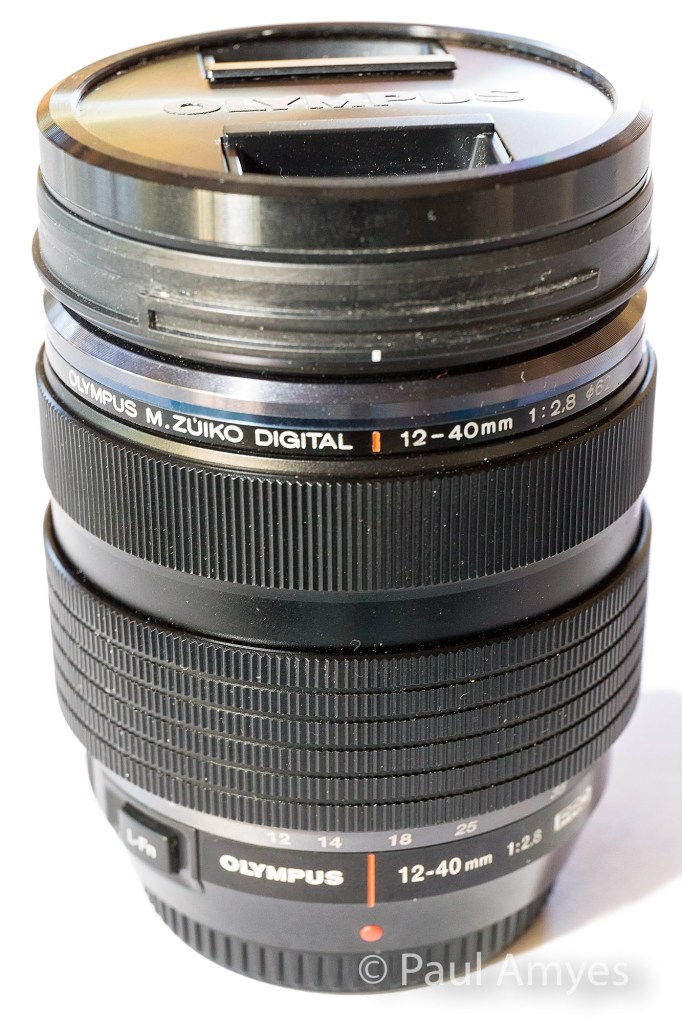
The Olympus m.Zuiko 12-40mm f2.8 Pro lens was announced as Olympus’ high end standard zoom in 2013 to accompany their then flagship camera the OMD EM1.
Built for the micro four thirds system this lens is equivalent to a 24-80 mm lens and that’s all the talk of equivalency you’ll get out of me, if you want more see this. The lens was launched at the same time as the EM1 in 2013 and it heralded a new line of “Pro” lenses. Of the three lenses here it is the only one with a metal outer construction and it has a splash proof and dust proof design. Its vital statistics are 84mm in length, a diameter of 69.9mm, has a filter thread of 62mm and weighs in at 382g. Not that it counts for much, but it feels nice in the hand and the manual focus clutch (reminiscent of the ones found on Pentax’s 645 range of lenses, is a very nice touch. Optically there are 14 elements in 9 groups – there are 1 aspherical element, 1 dual-sided aspherical element, 2 ED glass elements, 2 HR glass elements, 1 EDA glass element, 1 HD glass element. It is the most optically complex lens of the group. For bokeh aficionados there are 7 rounded aperture blades. The minimum focusing distance is 0.2m.
At the wide end the centre of the image is what you’d expect from a modern zoom, it is sharp and contrasty. At the edges the image is still sharp but the contrast has fallen off a little giving the appearance of softness. The chromatic aberration (CA) is very apparent. At the long end in the centre the image is still sharp but the contrast is lower than what we found on the wide end. The edges exhibit a little softness. The CA virtually non-existent. The results from the long end caused me a little consternation as it was the first time I’d seen images without any in camera correction applied so I repeated them just be sure and got exactly the same result.
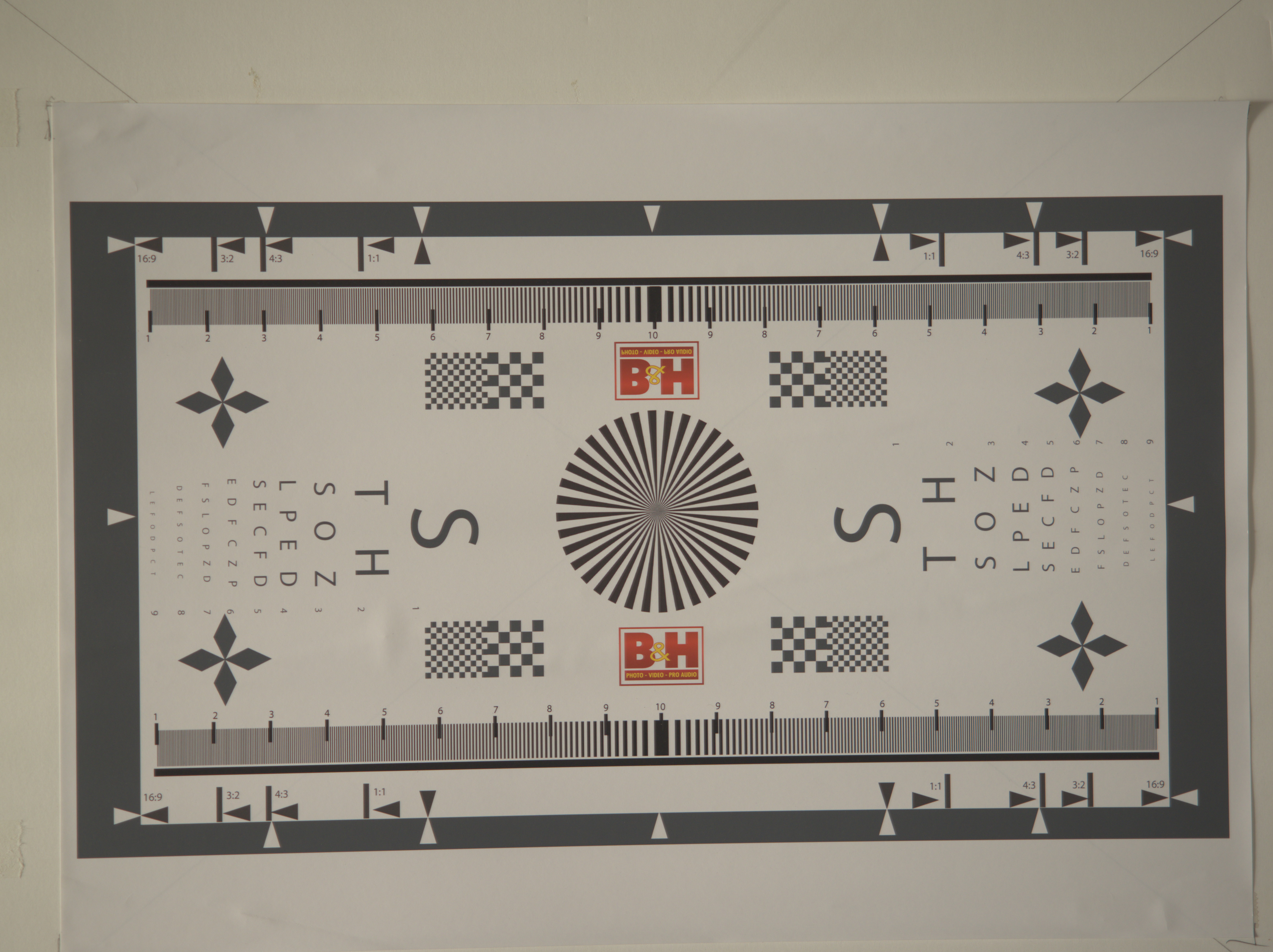
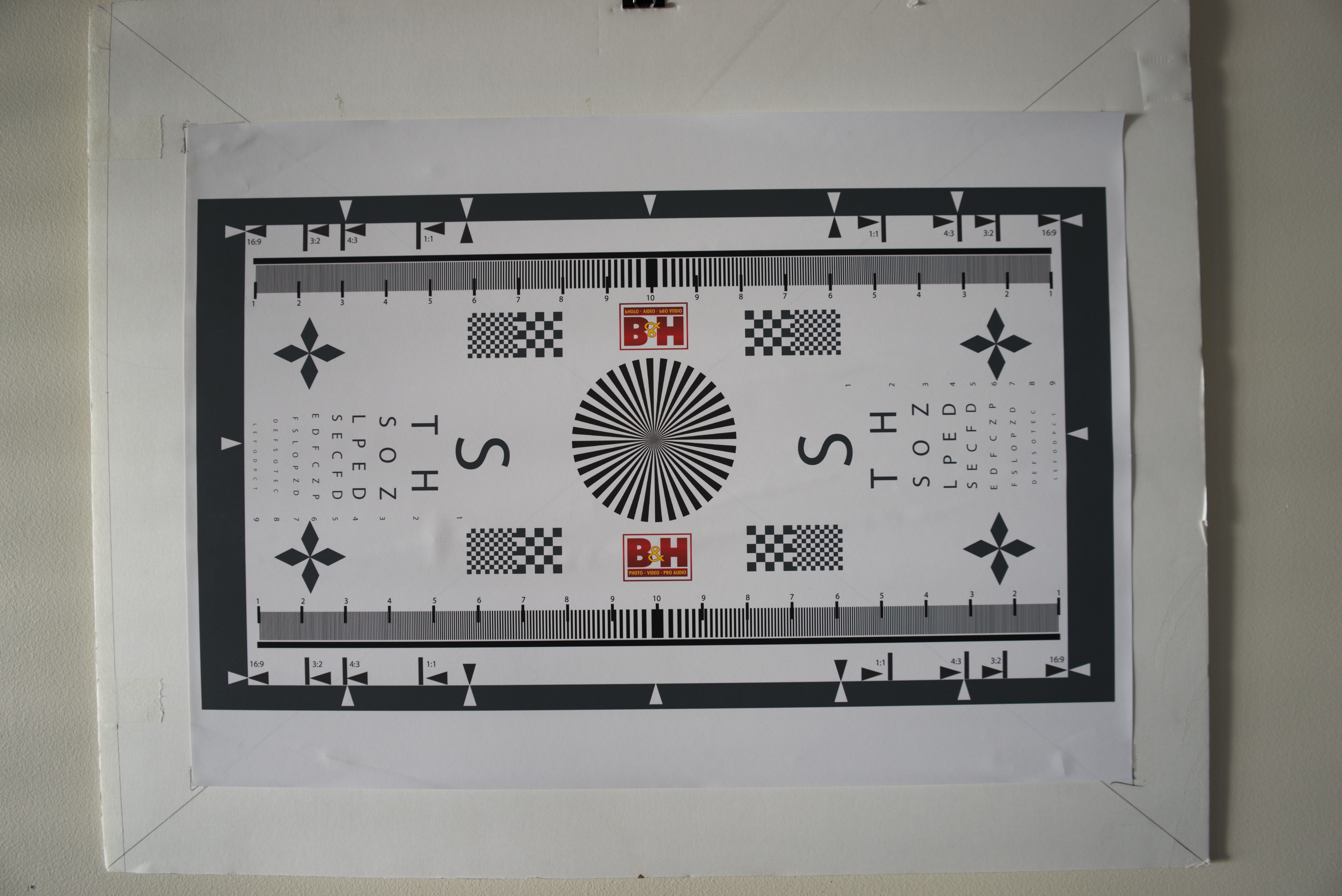
The lens resolution chart shot at 12mm wide open to show any vignetting or lens distortion.
Testing for vignetting and distortion I found that the lens exhibited marked vignetting and barrel distortion at the wide end at f2.8. The vignetting had disappeared on stopping down to f5.6.
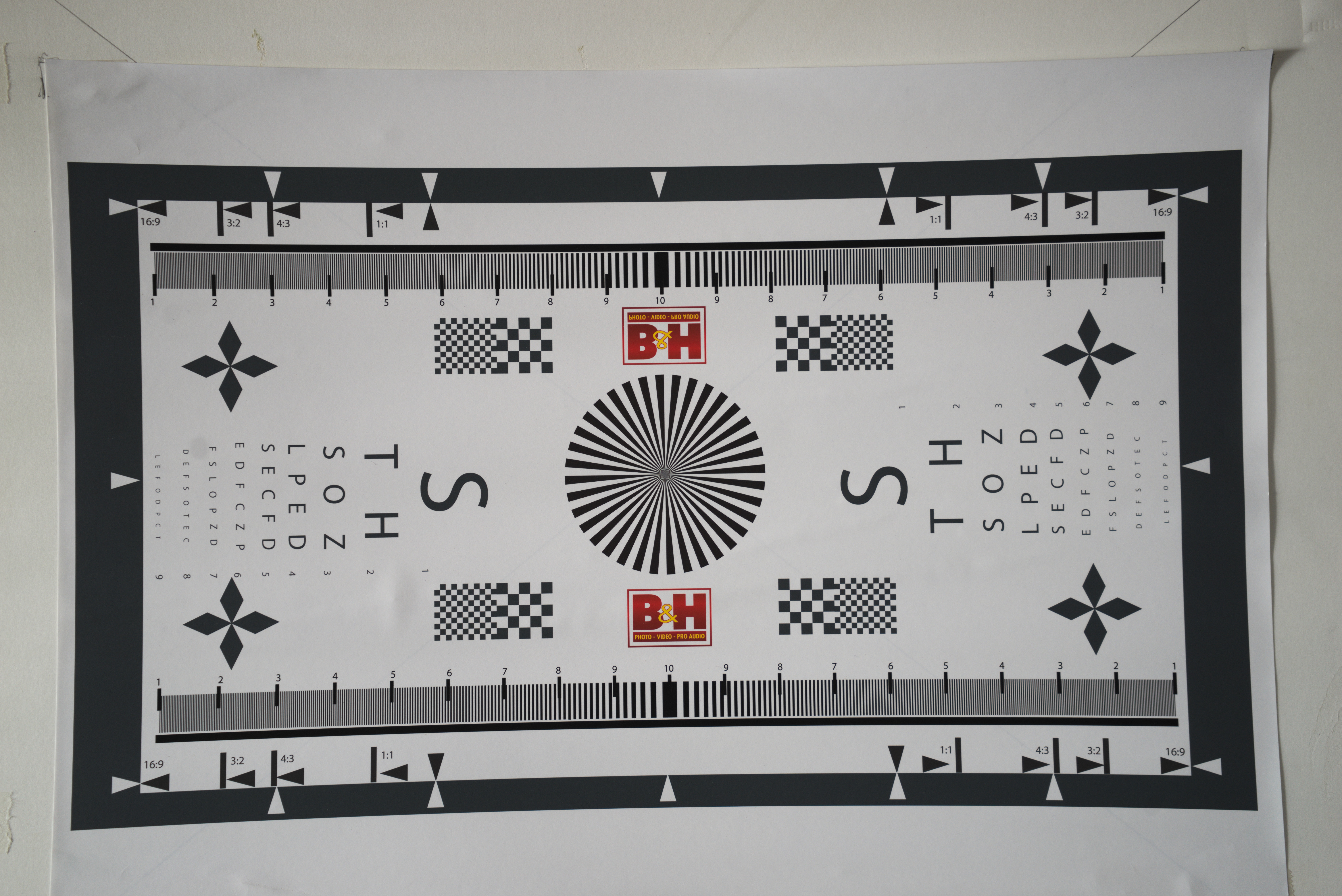
This time at 40mm wide open.
At the long end there is only slight vignetting and very mild pincushion distortion. What is interesting is that there is significant variation in the exposure, remember these were metered using a handheld incident meter. The long end is nearly a whole stop darker than the wide end. This shouldn’t happen with a constant aperture zoom.
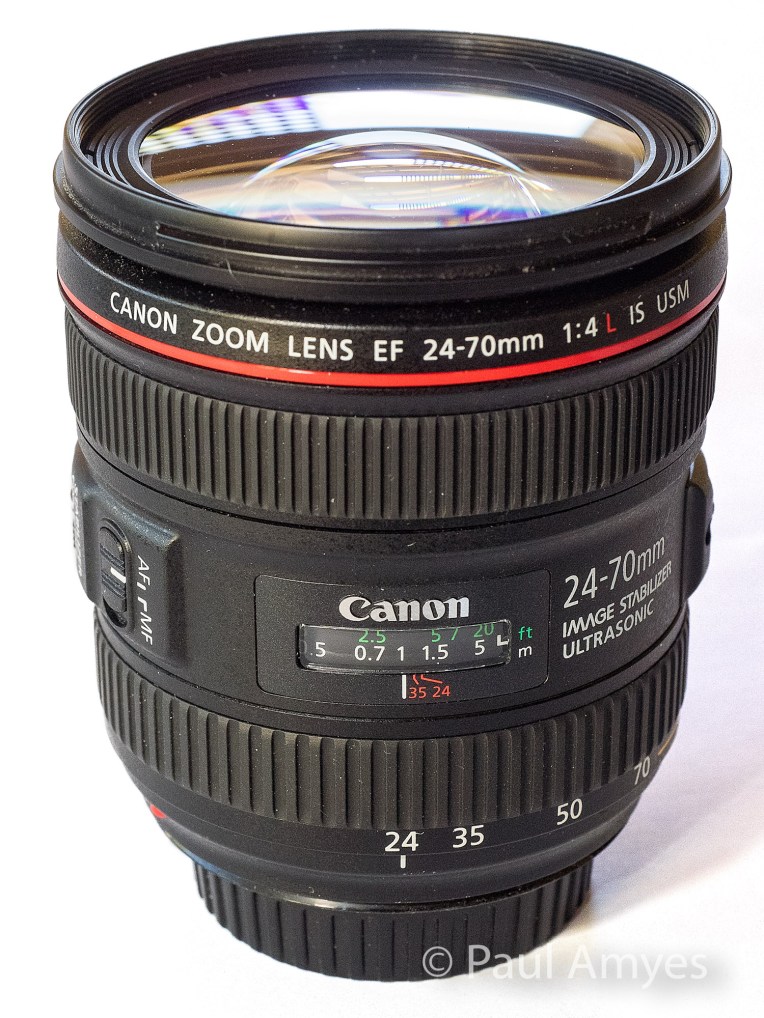
Canon EOS6d with Canon EF 24-70mm f4 IS L lens
The Canon EF 24-70mm f4 IS L lens was introduced in 2012 as Canon’s budget (if that term can be used at this price) L series standard zoom lens.
This is the most expensive lens in the group with a retail price of around $1200 AUD. It is also worth pointing out that this is the budget standard zoom in Canon’s L range. This lens was introduced in 2012 and was intended to be a kit lens for then newly announced Canon EOS6d. The body is made of some variant of ABS plastic which is somewhat disappointing considering the price, but with a weight of 600g it has a satisfying heft. The optical construction is 15 lens elements in twelve groups with 2 aspherical and 2 UD elements. The aperture diaphragm is comprised of 9 rounded blades. Unsurprising it is the biggest lens of the trio being 93mm long, 83.4mm in diameter and has a 77mm filter thread. Image stabilisation is built into the lens and is good for four stops. The minimum focus distance is 0.38m, but the lens has a rather nifty macro feature where you press a button and turn the zoom ring and that takes it down to 0.2m and a maximum magnification of 0.7x.
At 24mm the centre of image is extremely sharp and contrasty and the edges are the same. At the tele end it is a repeat. Chromatic aberration is non-existent at both extremes.
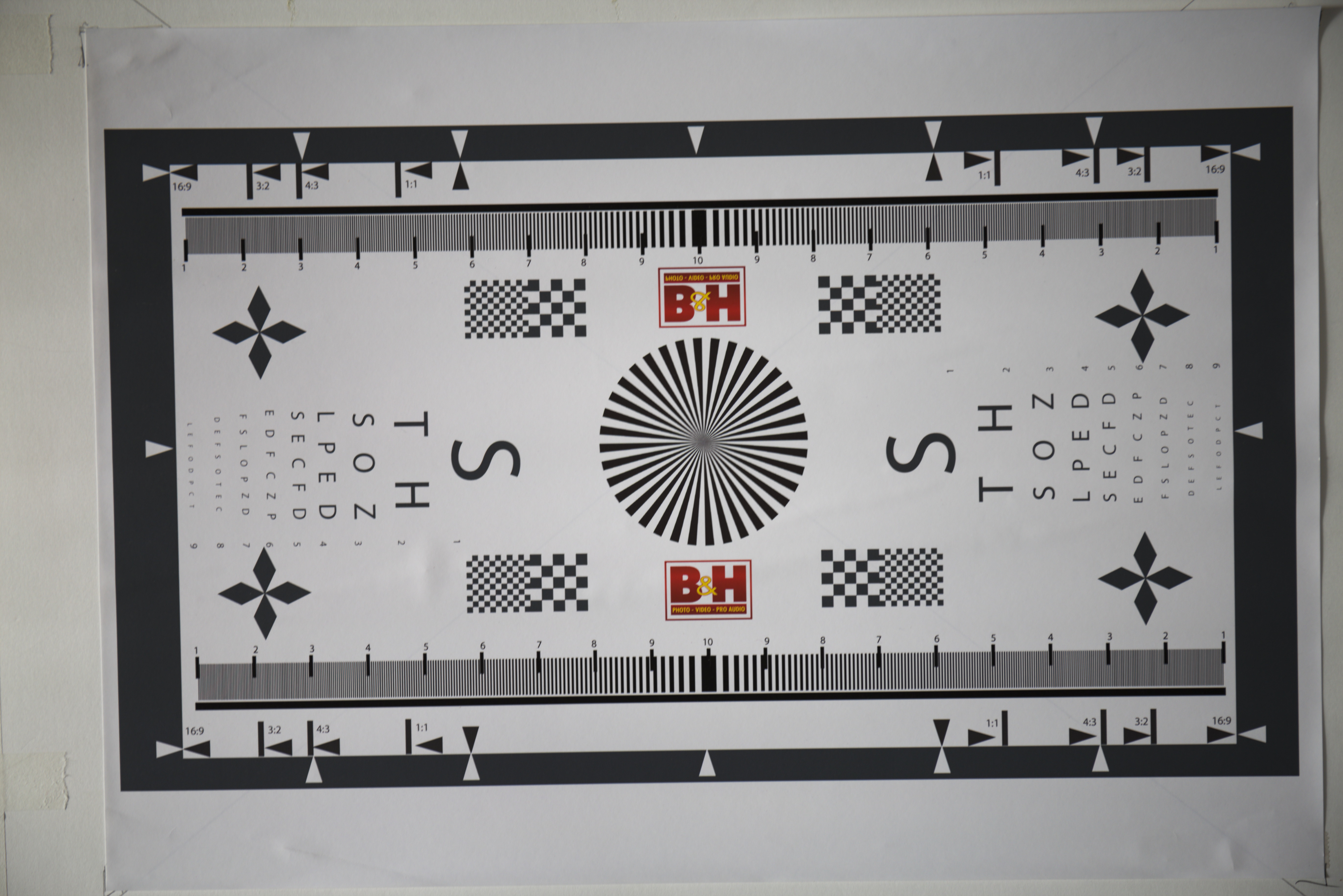
The Canon EF 24-70 f4 IS L at 24mm wide open
Shooting wide open at 24mm vignetting is very apparent, I would say that there’s probably 2 stops difference between the corner and the centre. The barrel distortion is not excessive but is noticeable. At 70mm a small amount of vignetting can be seen and there is some mild pincushion distortion.
The Canon EF 24-70mm f4 IS L at 70mm wide open.
Sony A7r with Sony FE 28-70mm f3.5-5.6 OSS
The Sony 28-70mm f3.5-5.6 OSS was introduced in 2013 as the budget kit zoom to accompany the Sony A7 mirrorless camera.
The joker in the pack and the cheapest on test at just under $350 AUD, and boy when you pick this one up it certainly feels like it. When I originally wrote about it on 3rd July 2016 I was very skeptical of its durability, well nothing adverse has happened to mine, but, Kirk Tuck wrote today that his met a tragic end courtesy of a dog’s tail and a hard floor. Well what do get for your $350? Well unsurprisingly at this price point this is largely made of plastic – the cheap kind – and is very light coming in at 295g. There’s not a lot of glass either just 9 elements in 8 groups made up 1 extra low dispersion and 3 aspherical elements. The simpler optical design and low price makes this the only variable aperture lens in the test group. The aperture diaphragm is made up of 7 blades. Size wise it is a compact 83mm long, has a diameter of 72.5mm and has a filter thread of 55mm. The plus points are that it is dust and moisture resistant, has built in image stabilisation, has a respectable minimum focusing distance of 0.4m and comes with a lens hood. As an aside I believe that every lens should come with a hood.
At 28mm the lens is again just like any other modern lens – sharp and contrasty. At the edges there is a drop off in contrast but they remain sharp. Chromatic aberration is very well controlled and easily fixed in Lightroom. The slow variable aperture means that vignetting is not a problem and there is only slight barrel distortion. At 70mm the centre is sharp and has good levels of contrast, the edges are sharp with a slightly lower contrast. There was also some evidence of coma. Again very little vignetting and a slight trace of pin cushion distortion.
The Sony 28-70mm f3.5-5.6 OSS lens at 28mm wide open.
The Sony 28-70mm f3.5-5.6 OSS lens at 70mm wide open.
Conclusion
So is the Olympus 12-40 the Canon killer that Chris Corroding says? Well without in camera software correction it is only just a bit better than the Sony which is half the price. It is the correction that elevates this lens to very good. Having said that the Canon 24-70 f4 is probably one of their very best zoom lenses and produces very good images straight out of the camera. Apply the Lightroom lens profile and it is even better. Is that surprising? No considering its cost I would hope it be optically very good. This is the rub – for $350 AUD you get a surprisingly good lens with the Sony and most people would be very happy with it. The Olympus at $870 AUD sees some significant improvement. The Canon at $1200 AUD sees only incremental improvement over the Olympus. The law of diminishing returns is very clearly at work here.
When it comes down to sensor performance the Sony A7r rips the head off of the EM1 and EOS6d and spits down the stump. I have been amazed by how well it performs – the dynamic range is very, very good, the lack of an anti-aliasing filter means that with good lenses insane amounts of detail can be rendered, and the high ISO performance is also very good. The Canon EOS6d’s sensor is capable of very nice colour rendition, especially skin tones, but it is not the best when it comes to dynamic range. It is what I’d call workman like. For the Olympus EM1, well the dynamic range is very good, high ISO performance not so. The lack of anti-aliasing filter helps you get the best out of the lenses. I really like my m4/3 Olympus cameras and lenses, I use them more than anything else, but I really feel that the sensors are holding them back. I’ve yet to get any long-term usage out of the new 20Mp sensor that is found in the EM1 Mkii, but I do think that if they got access to the latest BSI sensors from Sony and reduced the base ISO to 100 that there would be quite a sizeable performance boost. But all this is moot as all three are capable of excellent results if I do my part.
It is important to remember that I only have access to one of each lens so I have no idea of what the sample variation is for any of them. What does this all mean in terms of real world usage? Well I’ve used my Olympus 12-40 far more than the Canon 24-70 and I am more than happy with how it performs. I hardly ever use the Sony 28-70 as I only really use the A7r with legacy lenses.




















You must be logged in to post a comment.